
Read time: 4 minutes


Co-authored by Field Nation and TDX Tech.
October 14, 2025, wasn’t the end of the Windows 10 era. It was the start of a new set of challenges for enterprise IT leaders. Microsoft has ended standard support for Windows 10, meaning systems not covered by Extended Security Updates (ESUs) no longer receive standard security updates or technical support.
According to Statcounter Global Stats, Windows 10 still represents nearly 30% of active Windows desktop usage worldwide. Applied to Microsoft’s previously reported installed base of more than 1.4 billion monthly active Windows devices, that suggests more than 400 million Windows 10 devices could still be in operation globally. This is an estimate based on usage share and Microsoft’s previously disclosed installed base, not a direct device count, but it illustrates the scale of the remaining migration challenge.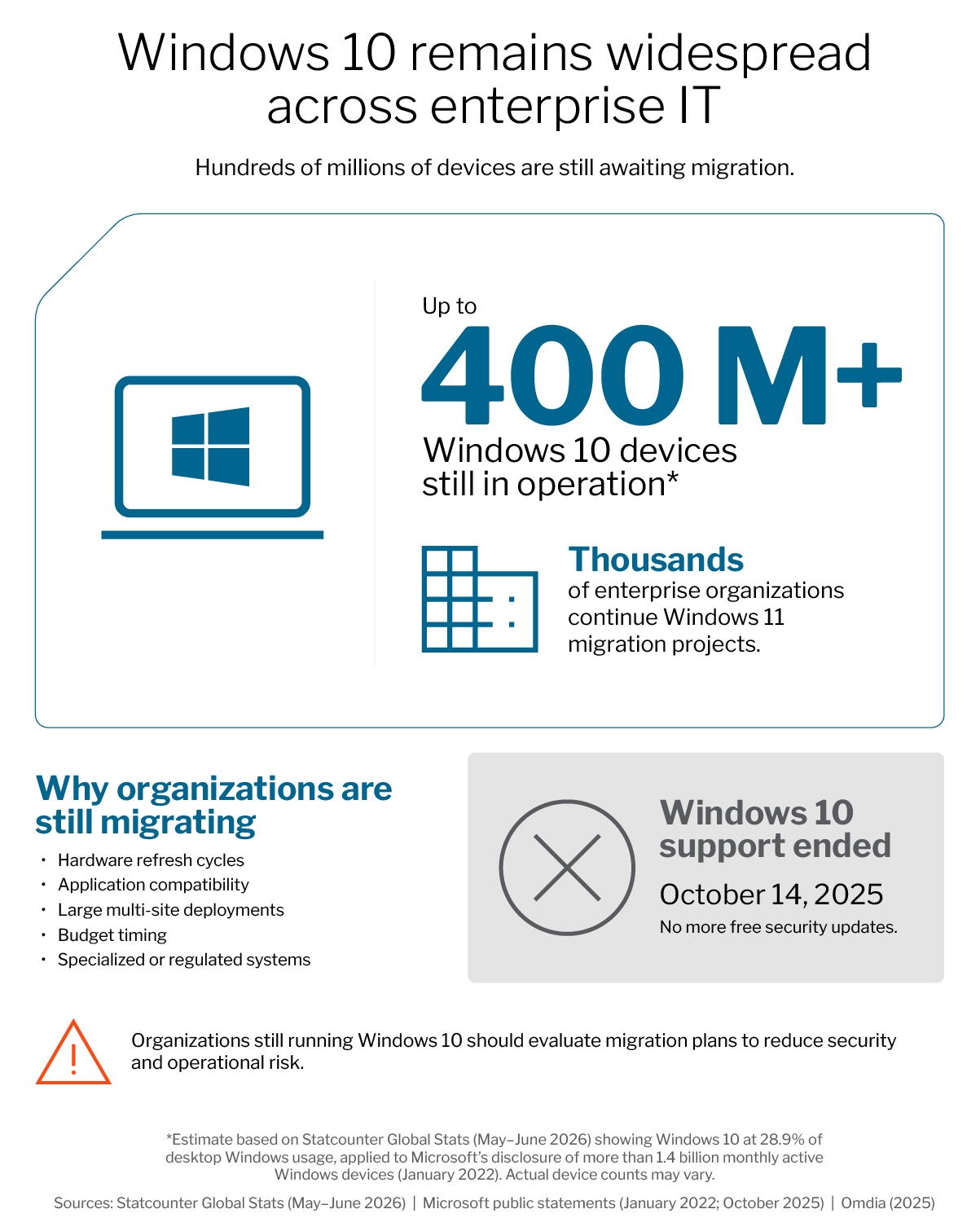
For enterprises managing dozens, hundreds, or thousands of devices across distributed locations, moving forward requires more than urgency. It requires visibility, coordination, and a practical plan for upgrading compatible systems while replacing those that no longer meet Windows 11 requirements.
Even though the deadline has passed, many organizations are still completing their migration. Hardware compatibility requirements, application dependencies, refresh cycles, budget timing, and operational constraints can all slow progress. Microsoft’s commercial ESU program provides a temporary bridge for eligible devices, but it is not a long-term replacement for migration.
The focus is no longer how to prepare for Windows 10 end of support. It is how to complete the transition strategically.
Windows 11 migration is more than a software upgrade for large-scale IT environments. It touches hardware, applications, security, operations, and field resources. Success depends on visibility and coordination across three fronts:
That’s where collaboration between TDX Tech and Field Nation can help.
Together, the organizations connect centralized planning, hardware readiness, staging, logistics, and deployment management with scalable field execution, helping enterprises move Windows 11 migration projects forward with greater consistency and control.
Organizations that treat post-EOL upgrades strictly as an emergency can create unnecessary cost and disruption. A structured migration can also become an opportunity to modernize hardware, improve performance, strengthen security posture, and establish a more consistent endpoint environment.
A practical roadmap should include assessment, prioritization, remediation or replacement, staging, deployment, and post-cutover verification. To help guide that process, we’ve created a downloadable Windows 11 Readiness Checklist: a simple framework to help IT leaders plan, sequence, and track progress across locations and systems.
End of support doesn’t have to mean loss of control. With the right planning, hardware strategy, field resources, and deployment coordination, organizations can reduce risk while completing the transition to Windows 11.
Review our Windows 11 readiness checklist to benchmark your current state or book a planning call to discuss your upgrade roadmap.
Data note: The 400M+ estimate is derived from Statcounter Global Stats Windows desktop usage share (approximately 30% in mid-2026) applied to Microsoft’s previously disclosed base of more than 1.4 billion monthly active Windows devices (January 2022). Statcounter reports usage share, not an installed-device count; actual Windows 10 device totals may vary.
References: Statcounter Global Stats, Windows Version Market Share Worldwide (2026); Microsoft, Windows 10 end-of-support and Extended Security Updates documentation; Microsoft Windows 11 system requirements; Microsoft public statement reporting more than 1.4 billion monthly active Windows devices (January 2022).