This month saw the release of an enhanced parts return experience for providers and buyers, an update to the timing of when providers can request a schedule update, and much more.
Click the table of contents on the side to explore each release’s details.
Parts Return Experience Gets More Structure
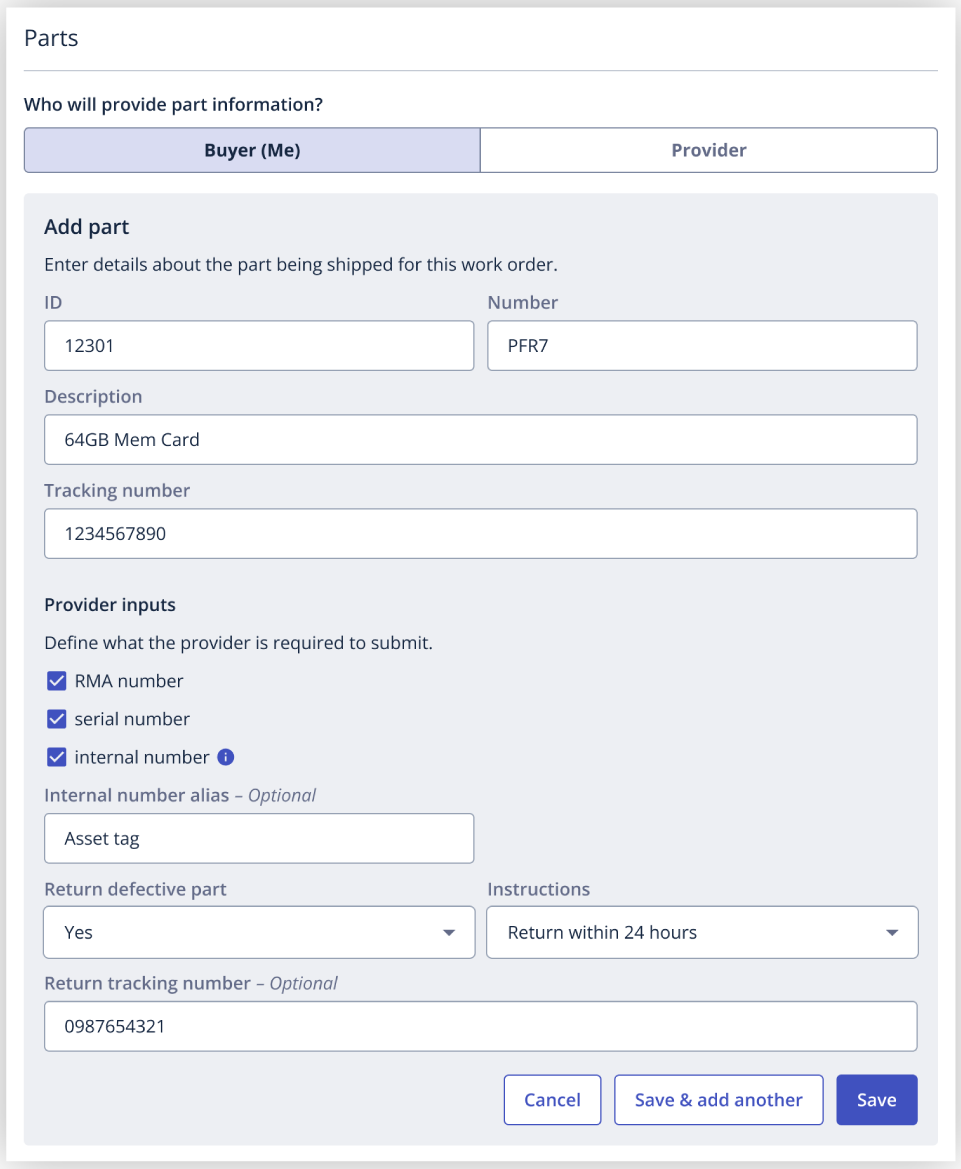
Additional parts usage details are now available to collect when a part is returned. Requirements can include RMA numbers, serial numbers, and internal reference numbers, such as asset tags. Return instructions also include specific time windows, 24 hours, 48 hours, or 7 days, instead of just “leave onsite” or “dispose,” and buyers can add a return tracking number upfront.
Providers can now also attach a photo of the part(s) when submitting usage details, which will live as an upload in the individual part task. And if a return label is needed to collect parts details and never shows up, providers can flag that directly on the work order. That triggers an alert so buyers can jump in, message the provider, and mark it as resolved.
As a buyer, click here to learn more.
As a provider, click here to learn more.
Providers Can Now Add Parts On-Site
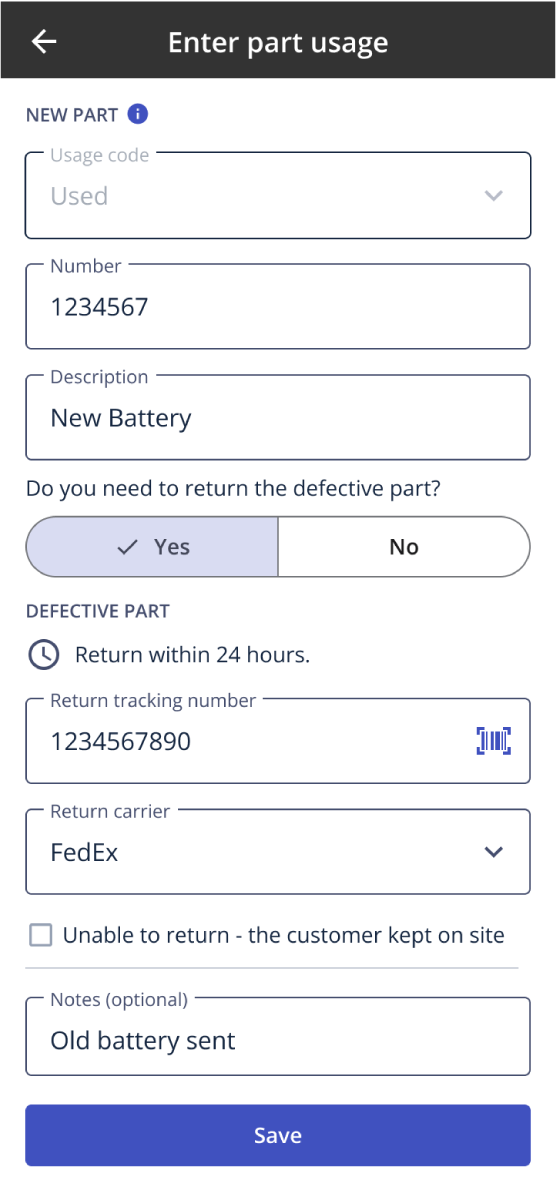
Sometimes a buyer doesn’t know exactly what parts a work order will need until a provider is standing in front of the problem. Buyers can now find a Provider tab in the Parts section of work order creation, allowing the assigned provider to add part details themselves.
Providers can fill in the part description, usage details, and a unique part ID directly from their task list while on-site, whether that’s trunk stock or something sourced for the job. That information lands in the platform in real time, no more reconciling spreadsheets or RMA runbooks after the fact, which means less manual back-and-forth and cleaner records for reimbursement.
As a buyer, click here to learn more.
As a provider, click here to learn more.
SmartAudit Parts-Related Approvals
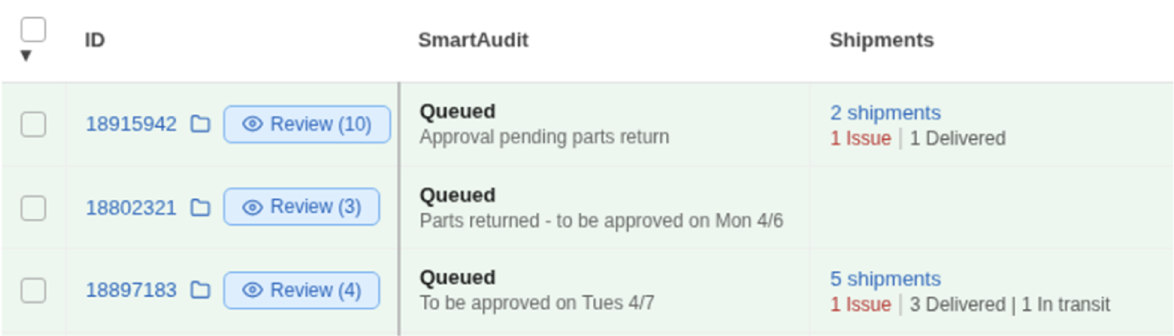
Buyers using SmartAudit no longer have to manually track and approve work orders that involve a part return. SmartAudit now queues those work orders and automatically checks for an “in transit” return status. Once that’s confirmed, SmartAudit approves the work order without any manual work.
This applies automatically to any SmartAudit work order with parts usage.
As a buyer, click here to learn more.
Updates to Schedule Change Requests
To support more proactive schedule management and accurate check-in data across the marketplace, providers are restricted from requesting schedule updates starting 30 minutes before the scheduled start time of a Hard Start work order or 30 minutes before the end of an arrival window. After that cutoff, providers will no longer be able to submit a schedule change request and will instead be prompted to report ‘Running Late‘, or ‘I cant make it to my assignment‘, or contact the buyer directly.
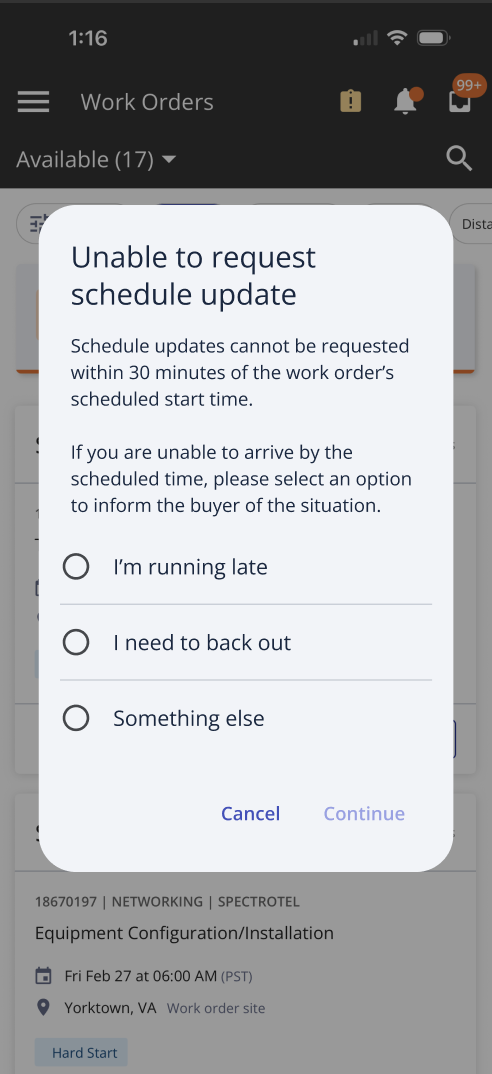
The 30-minute cutoff is the marketplace default. Buyers whose processes require providers to request schedule changes up to or after the work order start time can request an exemption. For work orders from exempt buyers, users will see a visual indicator in the schedule section showing that schedule changes can be requested at any time. As a buyer, to request an exemption reach out to your Customer Success representative or Support.
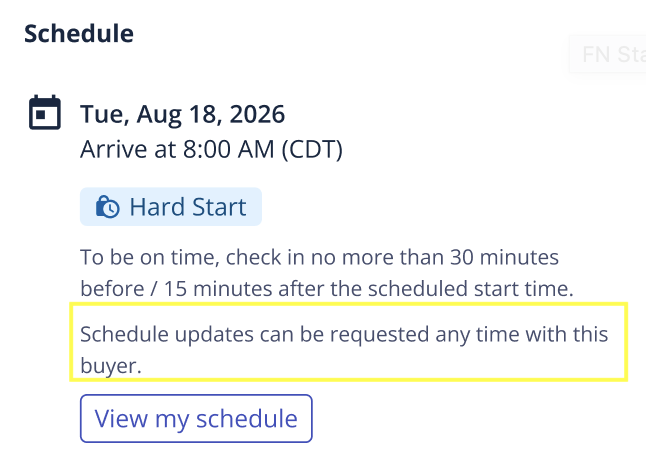
As a provider, click here to learn more about schedule updates.
As a buyer, click here to learn more about schedule updates.
Schedule Change Reason Field Added
To help us better understand why last-minute schedule updates occur, and continue improving schedule management and timeliness accuracy, buyers will now be asked to select a ‘Schedule change reason’ when updating a work order schedule within 30 minutes of the scheduled start time or anytime afterward.
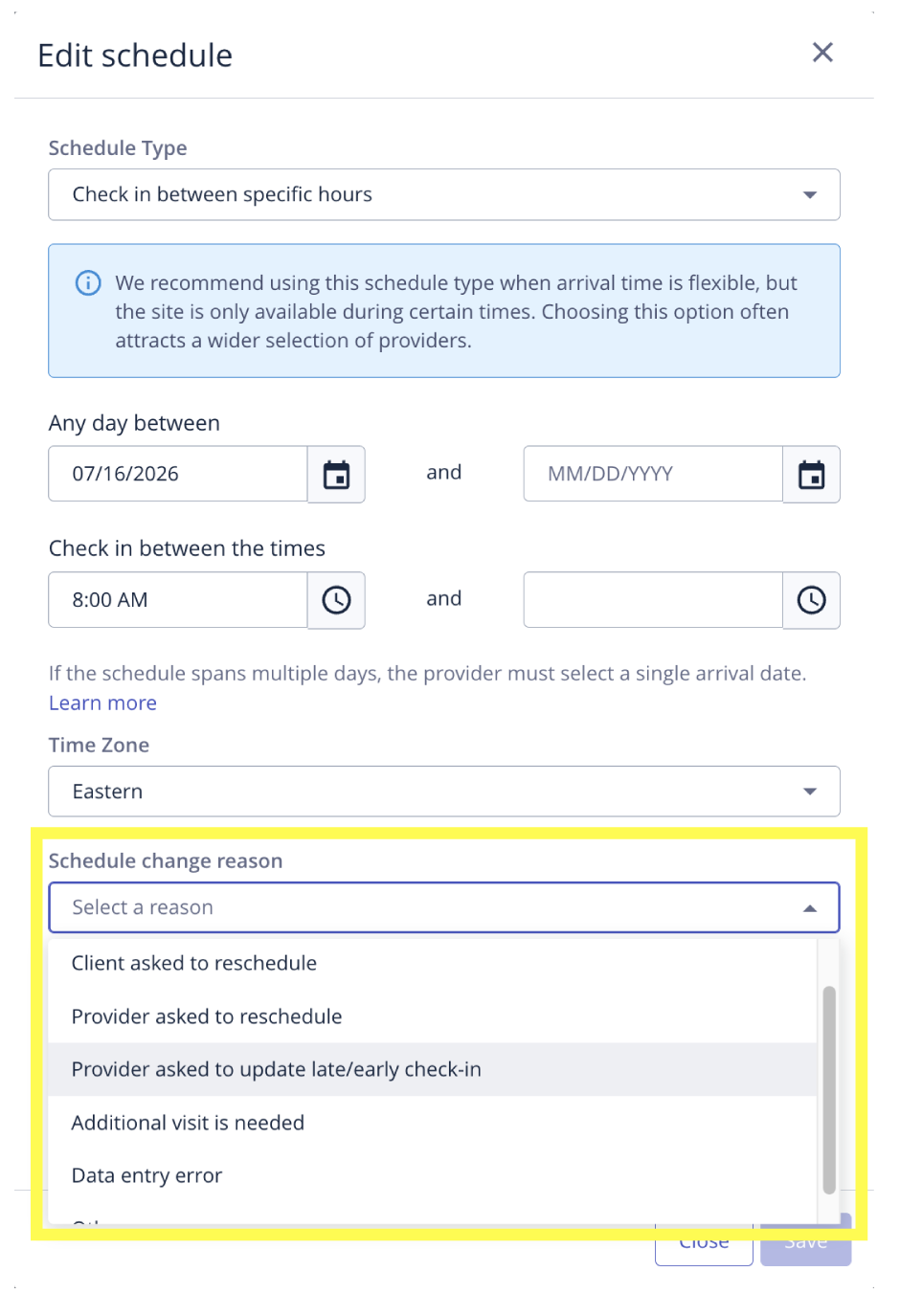
As a buyer, click here to learn more about schedule updates.
New Filter Available on Flightboard
Buyers can now filter by the work order status of ‘Cancelled’ in Flightboard. Previously, buyers could see cancelled work orders within Flightboard but not filter for them.
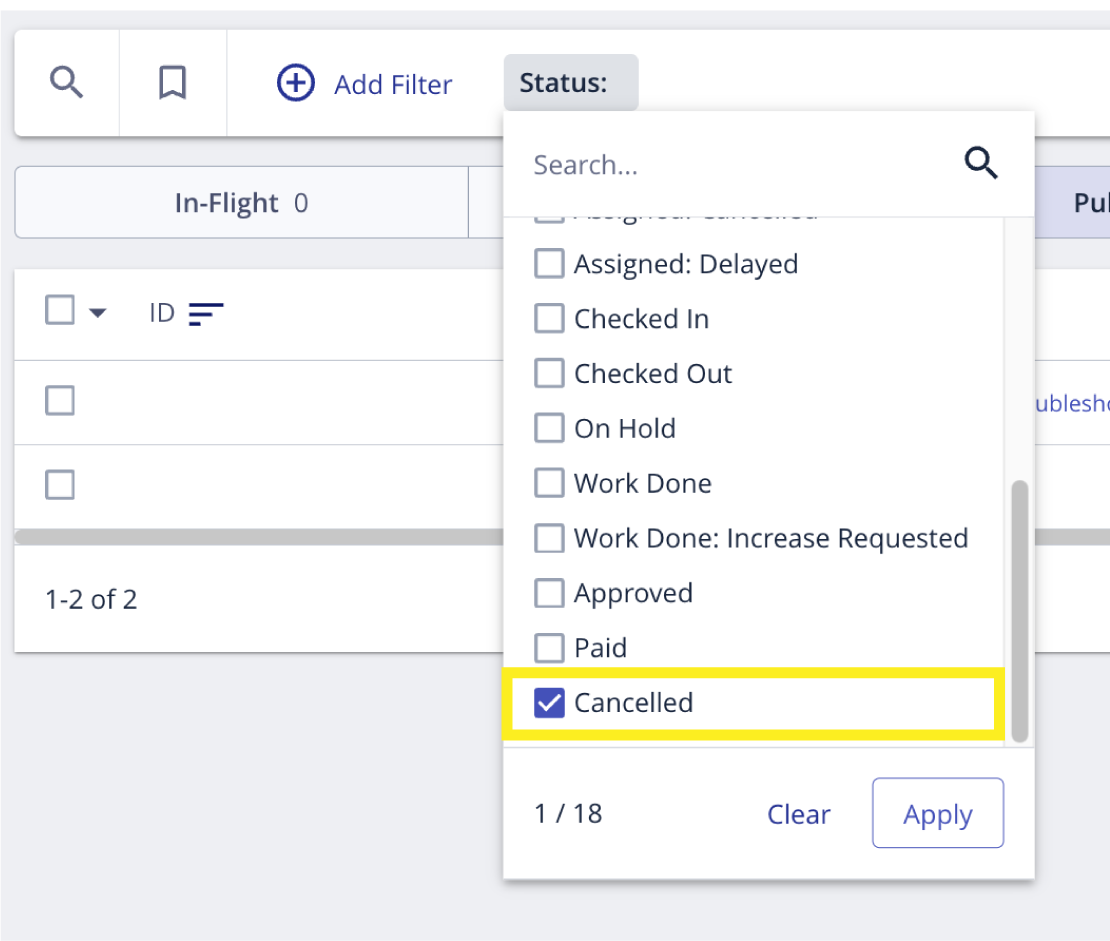
As a buyer, click here to learn more about Flightboard filters and columns.
Report Problem Update
We’ve updated the Report Problem experience to make it easier to get your question or issue in front of the right person.
After performing an audit, we determined that a large number of Buyer Unresponsive cases are resolved directly between providers and buyers without needing Field Nation Support. To create a clearer, more direct path, we removed Buyer Unresponsive as a standalone problem type. If a buyer isn’t responding to your messages, report ‘I need a response from someone’. This flags the work order for buyers, allows them to see the details you provide, and take action more quickly.
If the buyer still doesn’t respond and you need additional help, use chat to connect with a Field Nation Support agent.
As a provider, click here to learn more about what to do if something goes wrong on a work order.