Read time: 4 minutes

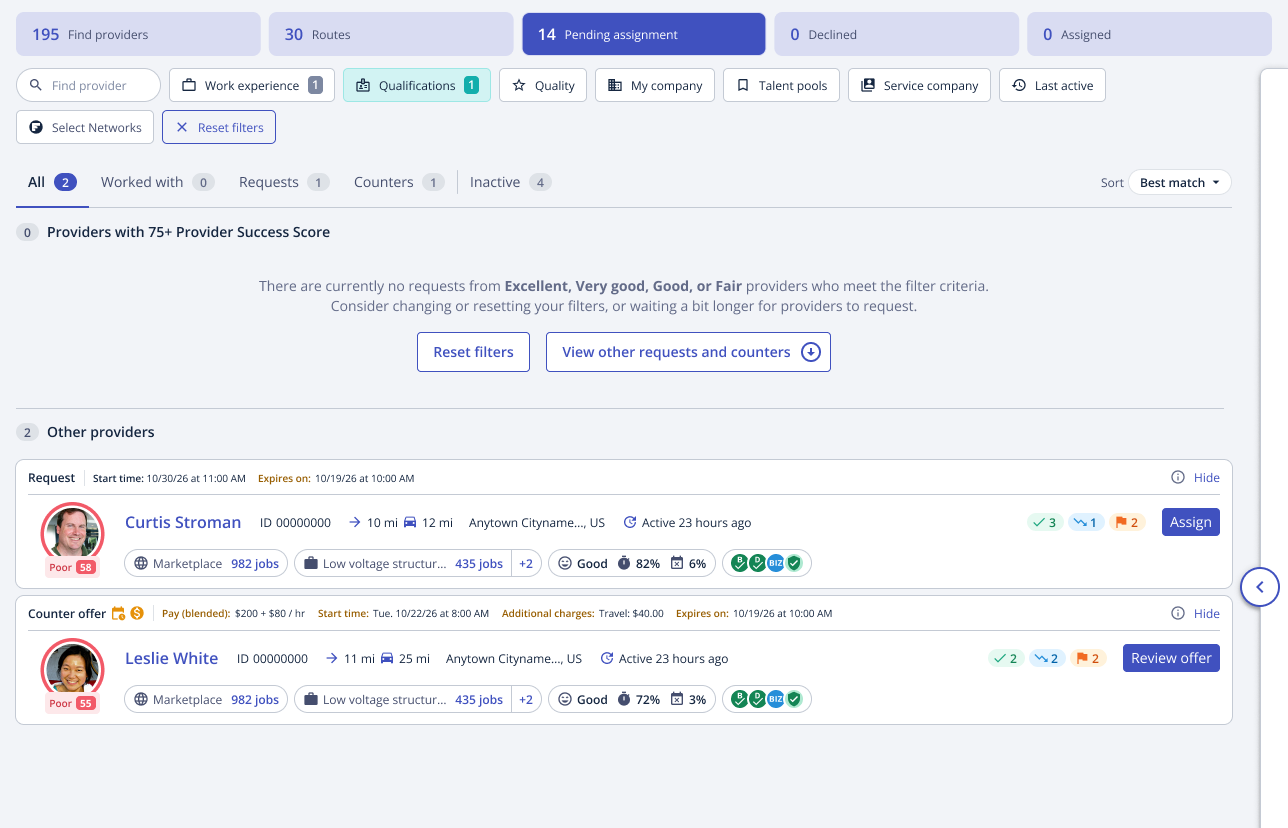
We made updates to Provider Match to make reviewing providers faster and easier.
Providers with a ‘Fair’ PSS now appear in the top quality grouping alongside Good, Very Good, and Excellent PSS providers, giving buyers a broader view of viable providers up front without having to navigate further down the page.
We’ve also reduced white space and expanded all quality groupings by default in the Pending Assignment tab, helping buyers review all provider requests and counter-offers with less scrolling and fewer clicks.
We added visibility into the Provider Success Score (PSS) on Flightboard, allowing buyers to identify assigned providers who may need extra attention.
A new column called ‘Provider Success Score’ was added to the Assigned, Done, and Approved tabs of Flightboard. In addition, PSS is now also visible in the ‘Providers’ column.
The new ‘Provider Success Score’ column will show the provider’s overall score and tier. The ‘Providers’ column will show the score. Hovering over the score in either column will open a detailed view of the components that make up that provider’s PSS.
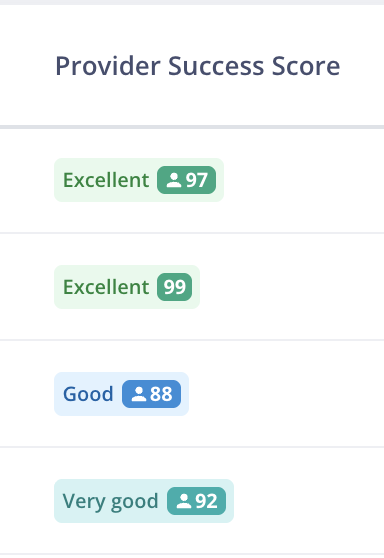
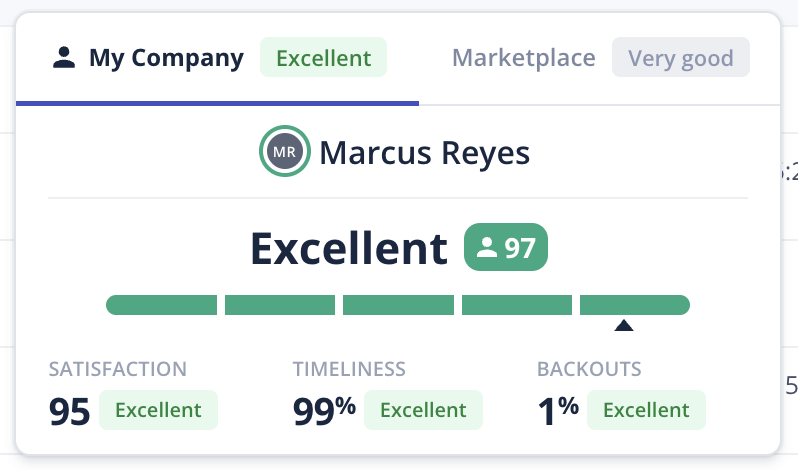
If a provider has a My Company PSS, that score will display by default. If both a My Company PSS and a Marketplace PSS are available, buyers can toggle between them in the hover view.
As a buyer, click here to learn more.
Buyers can now view work order messages directly from the Flightboard side drawer across all Flightboard Tabs, making it easier to review message activity and respond without opening the full work order.
The ‘Messages’ column shows both the total number of messages on the work order and, in parentheses, the number sent by the assigned provider.
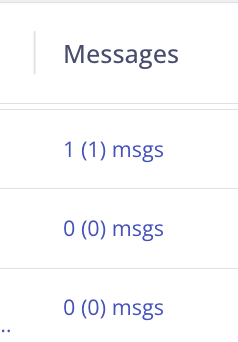
Clicking the message count opens the side drawer. If a provider has not yet been assigned, buyers will only be able to view messages. Once a provider is assigned, buyers can send and reply to provider messages from the side-drawer.
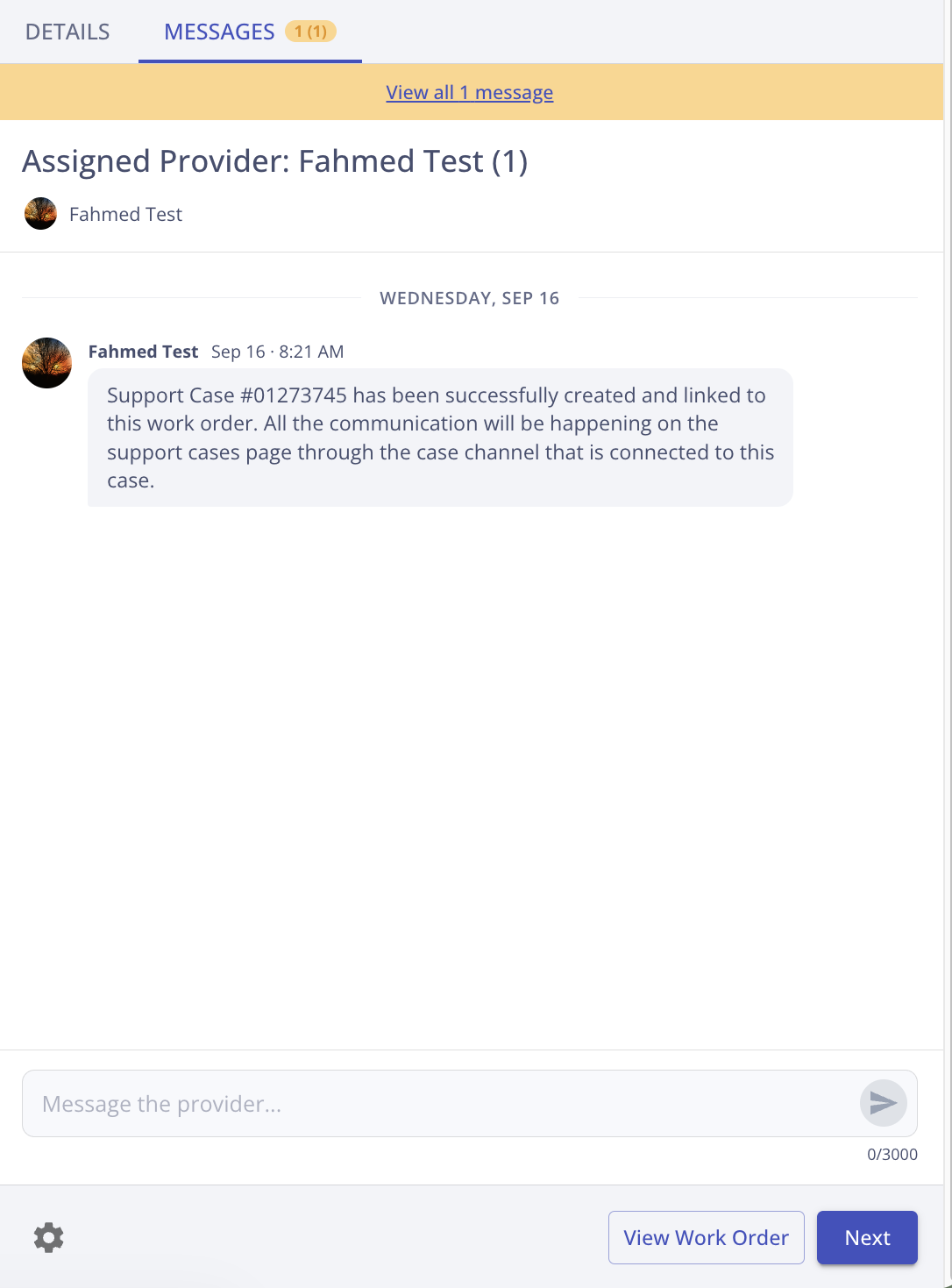
To view all messages on a work order, click ‘View all messages’ in the yellow banner. This will open the work order to the Messages tab.
As a buyer, click here to learn more.
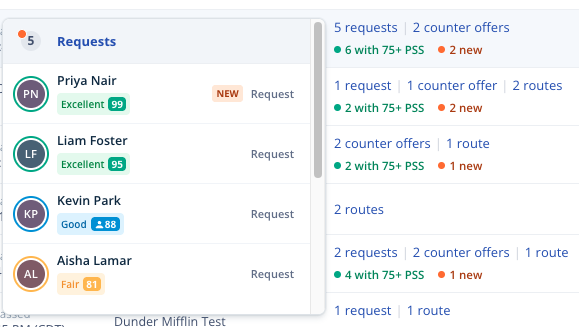
The improved Pending Assignment column now highlights new activity and surfaces provider PSS, making it easier to identify promising requests, understand what needs review, and jump directly to work orders that are ready for assignment.
The column will now show the total number of requests, routes, and counter offers on each work order. If there are new requests or counter offers you haven’t reviewed yet, a ‘New’ indicator will appear.
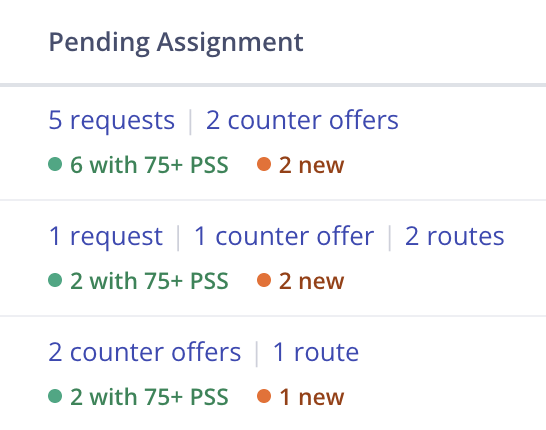
Hovering over the column will allow buyers to see requests, counter offers, and routes, broken down into separate sections, with providers listed by PSS. Clicking a provider opens the work order directly to the Pending Assignment tab.
As a buyer, click here to learn more.
We successfully migrated all buyers to our new Flightboard experience. The new Flightboard is 3.5x faster and keeps the core workflow buyers already know while adding new tools to help buyers work more efficiently. It’s built on a stronger technological foundation that will help us improve performance and continue to evolve the experience over time. Buyers may notice small visual updates, but the core functionality remains the same.
We recently updated how buyer blocks are reflected in the Buyer Satisfaction portion of the Provider Success Score (PSS). Historically, PSS treated blocks the same way regardless of the selected block reason. Now, the impact of a block on the Buyer Satisfaction component of the PSS will be weighted by the block reason. As always, some block reasons have no impact. Some block reasons will have less impact than before, while other, more serious issues may have a greater impact.