This month saw the release additional pieces of chat functionality in the mobile app for providers as well as a move to push notifications for routed and assigned work. Click the table of contents on the side to explore each release’s details.
Chat Replacement For Case Creation in mobile
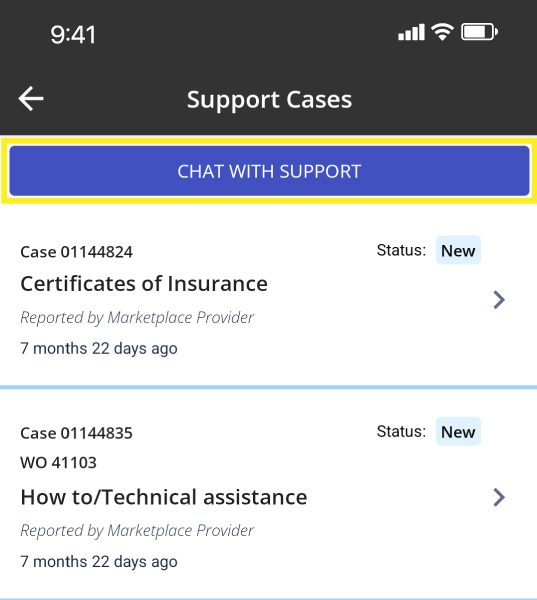
To provide our users with the fastest support possible, we have replaced the ‘Create Case’ functionality on the Support Cases page in the app with chat. Please note that if a case is necessary, either our Virtual Agent or a Support Team member can create one on your behalf. This change does not impact ‘Report Problem’ functionality or the ability to respond to cases from the Support Cases page.
Please note you need to be on the Field Nation app version 26.4.1 or higher to access chat.
As a provider, click here to learn more.
Text Notifications Moved to Push, Email
Due to new phone carrier limitations, Field Nation will now update providers about routed and assigned work through push notifications and email instead of text messages.
As a provider, to review your notification settings:
1. Within the mobile app, click the bell icon
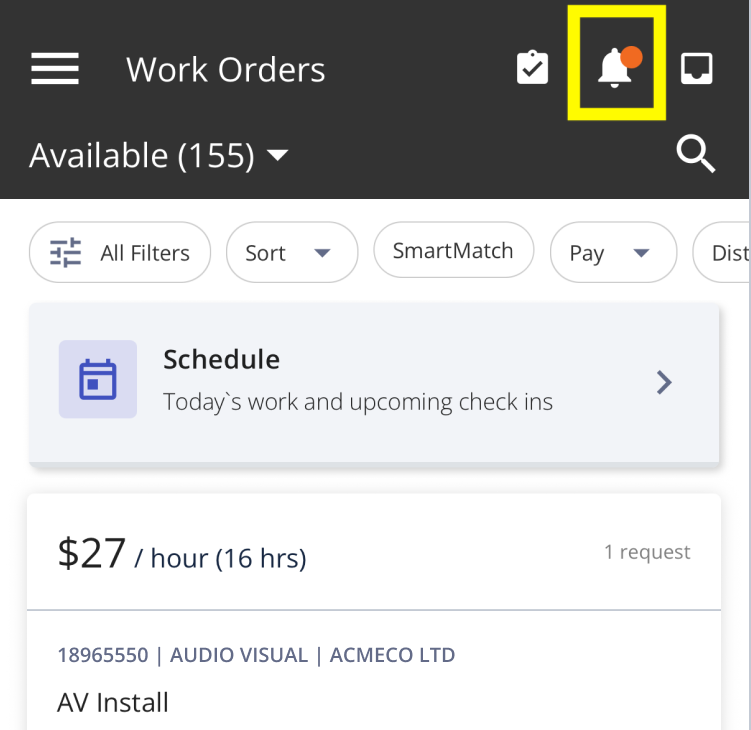
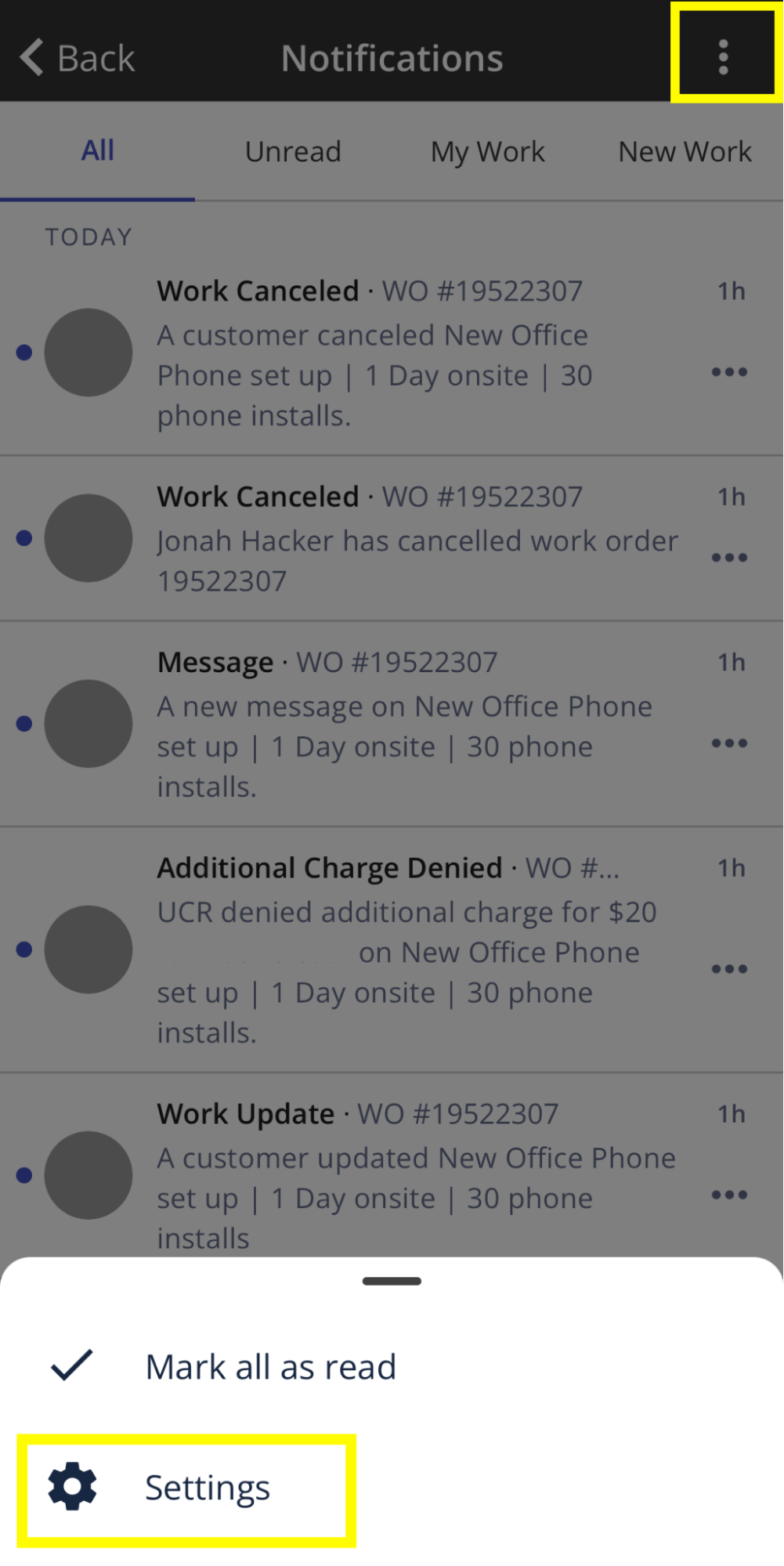
2. On the Notifications page, click the 3 dots and then ‘Settings’
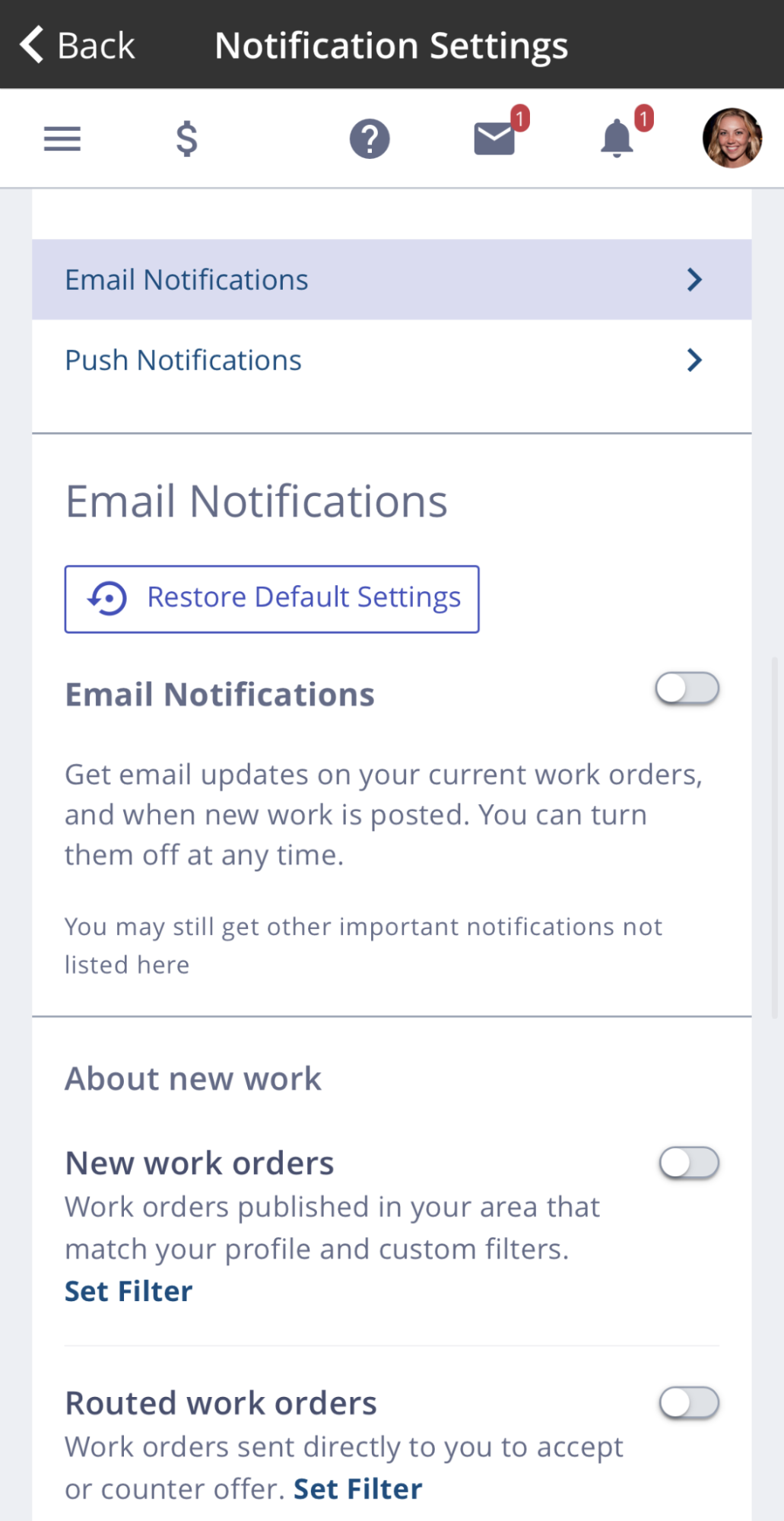
3. Choose between Email or Push Notification in the Notification Settings page. You can toggle the switches to enable or disable the notifications listed in each section. You can also “Set Filter” and adjust the frequency for each type of notification.
As a provider, click here to learn more.