Contents
- The Cost & Quality Insights Dashboard
- Invoice Contact Management
- Proactive Schedule Management Enhancements
- Provider Match now grouped by PSS tier
- New ‘Consider a new provider’ section in Provider Match
- Improvements to Pending Assignment tab in Provider Match
- Support Chat in mobile
- My Business Wallet
This month saw the release of the Cost & Quality Dashboard for buyers, a variety of improvements to help providers proactively manage their schedules and so much more. Click the table of contents on the side to explore each release’s details.
The Cost & Quality Insights Dashboard
Managing field service often means piecing together data from different places—pulling reports, chasing down updates, and relying on anecdotal feedback to understand what’s really going on. It’s time-consuming, and it can make it hard to spot issues before they start impacting cost or quality.
The Cost & Quality Insights Dashboard brings all of that into one place. It gives you a centralized view of how your projects are performing, so you’re not guessing—you’re working from data.
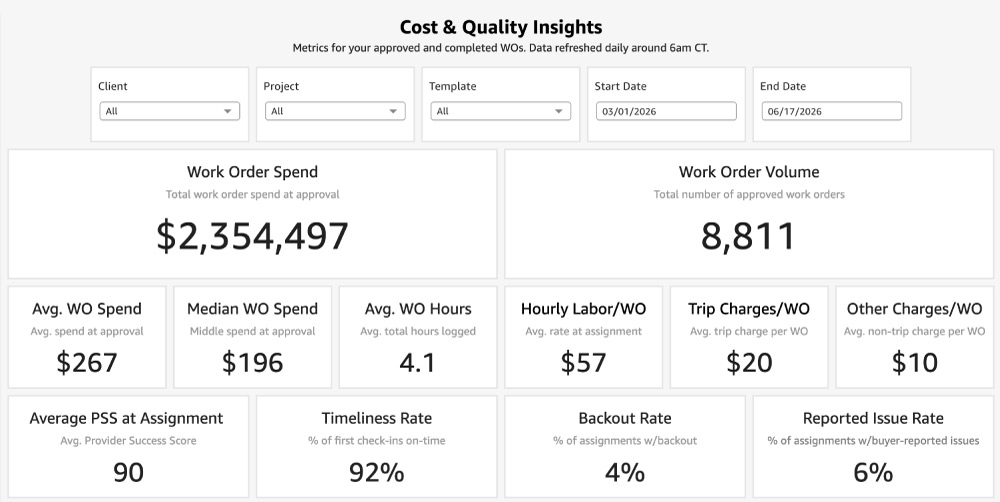
By providing an organized hub for monitoring spend and quality, the dashboard empowers you to:
- Make confident decisions with a clear view of your operations
- Catch issues early before they impact timelines or budgets
- Improve results by better managing both spend and provider performance
Please note that the Cost & Quality Insights Dashboard is available to buyers in Plus, Premier, and Enterprise level contracts.
To find the dashboard in your Field Nation account, navigate to the Insights tab and choose Cost & Quality Insights from the drop-down menu.
As a buyer, click here to learn more.
Invoice Contact Management
We are excited to announce that if you have a financed account on Field Nation and receive invoices, you can now view and edit the contacts receiving those invoices directly in the platform. Please note, this permission is limited to Admin users.
From the Funding Activity page, click Finance Contacts.
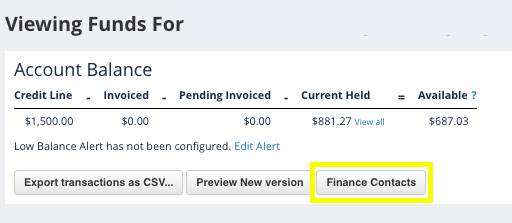
From the Finance Contacts page you can:
- Add a new contact
- Edit an existing contact
- Delete an existing contact
- Note: There must be at least one contact per account. You will be unable to remove a contact if there isn’t another on record.
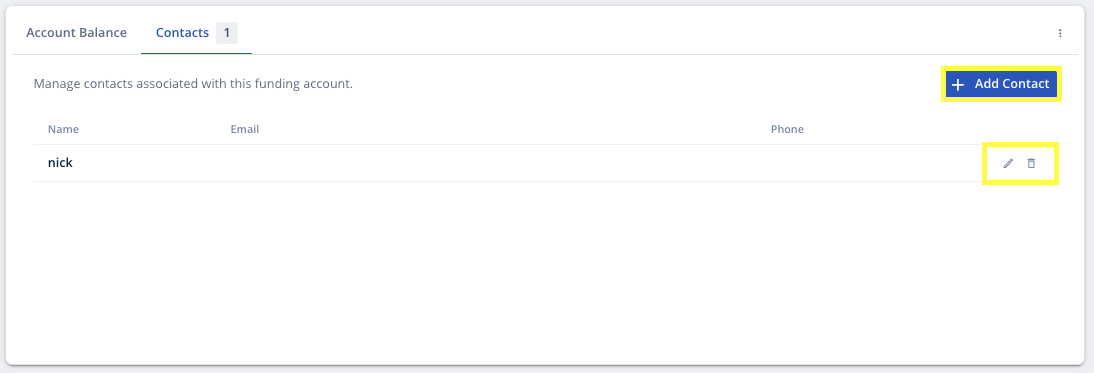
Updates made will immediately be reflected in the Funding Account Settings on the Field Nation Accounting side and vice versa.
As a buyer, click here to learn more.
Proactive Schedule Management Enhancements
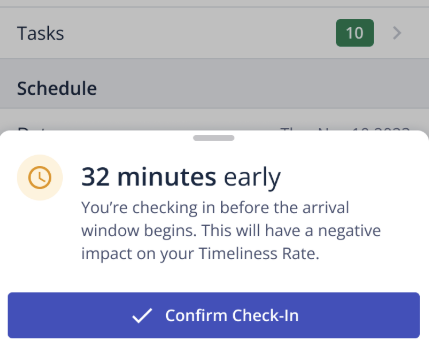
We added several new ways providers can access their Field Nation schedules, as well as a variety of options for requesting a schedule update when necessary. In addition, we removed a ‘request schedule update’ prompt that appeared when a provider checked in ‘Late’ or ‘Early’ to a work order.
As a reminder, schedule updates should be requested as far in advance as possible. By ensuring our product is designed to encourage proactive schedule management, Field Nation aims to help build trust, ensure schedules are accurate, changes are timely and properly documented, arrival expectations are clear, and Timeliness Scores remain trustworthy.
Accessing Your Schedule:
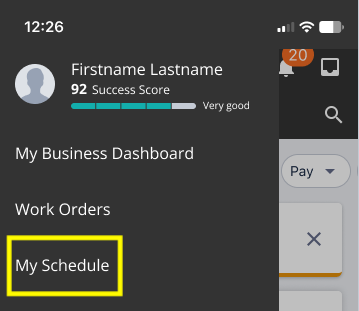
- A “My Schedule” shortcut was added to the main app menu:
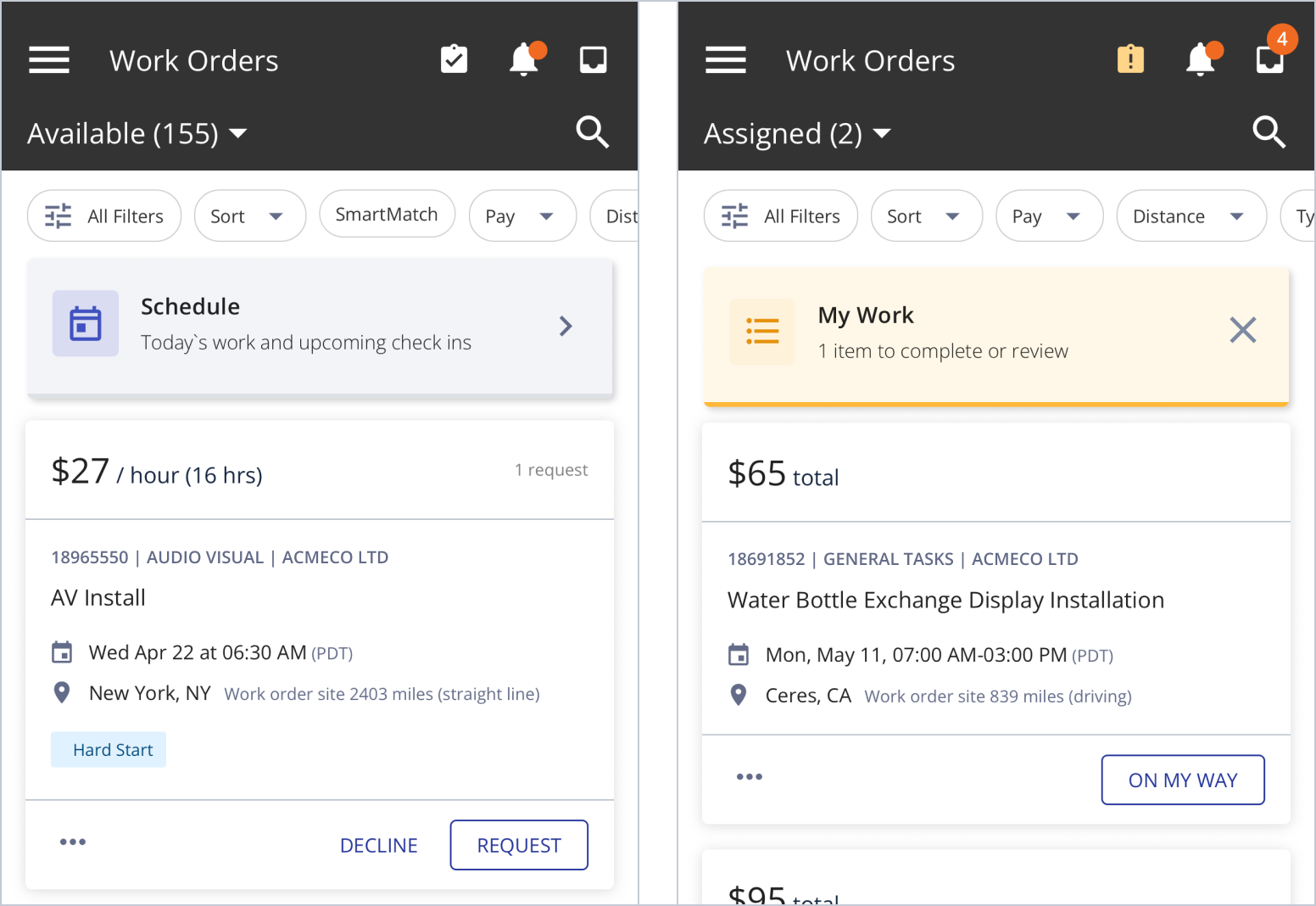
- A “Schedule” shortcut was also added to the work order list to help you review upcoming work and catch potential schedule conflicts early:
Requesting ‘Schedule needs updating’:
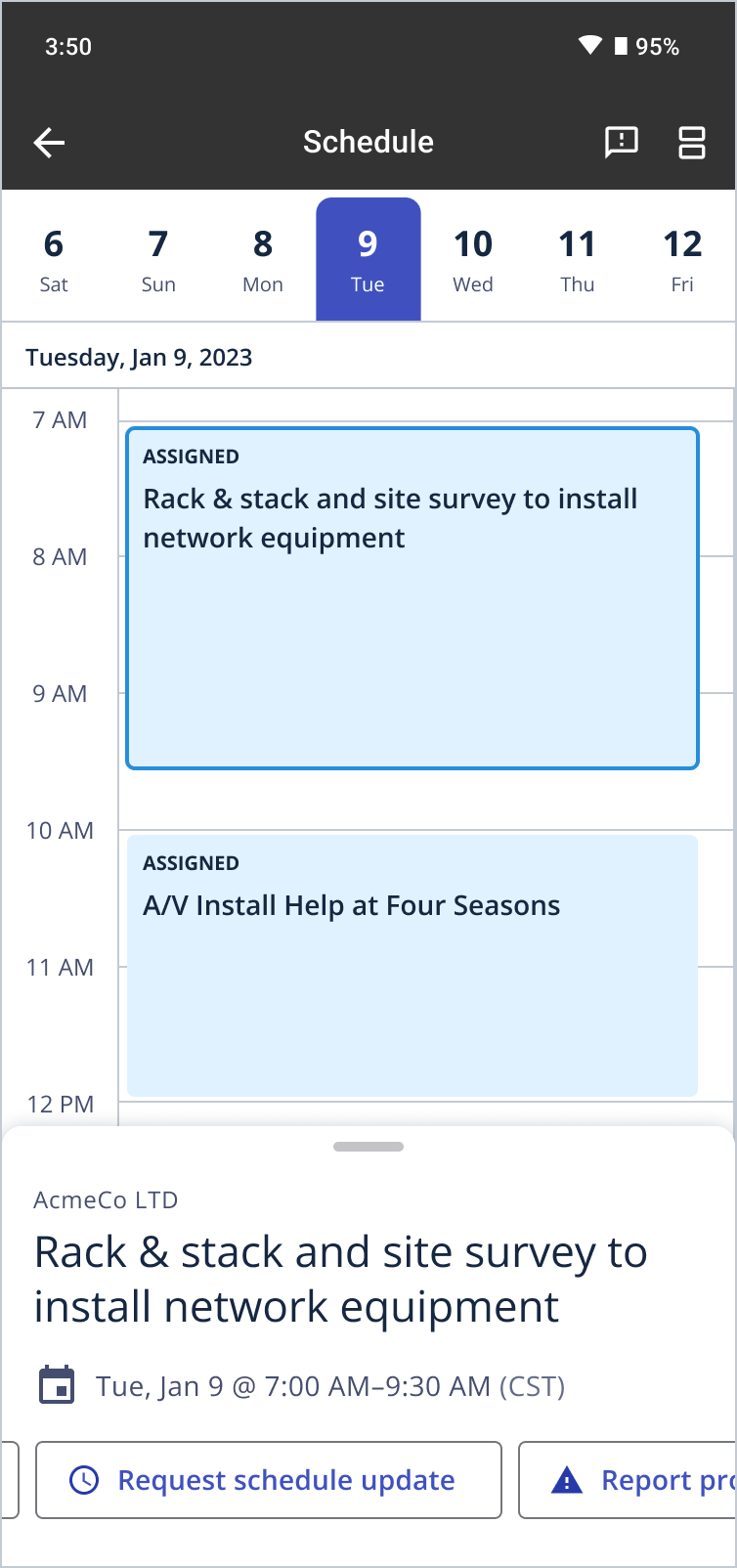
- A “Request Schedule Update” button was added to the calendar view of provider “Schedule” page in the app:
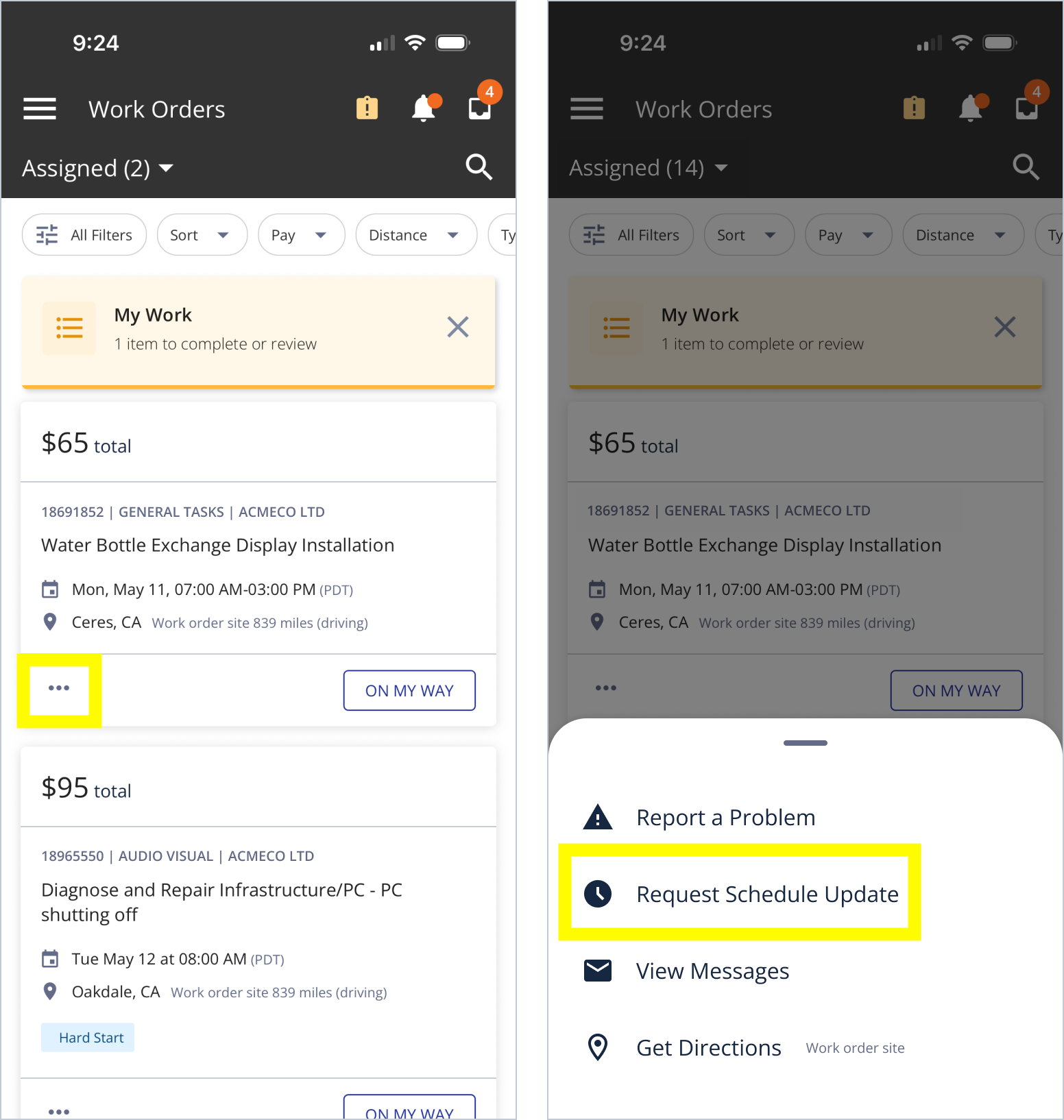
- A “Request Schedule Update” option was added to the 3 dot menu options from the “Assigned” work order list:
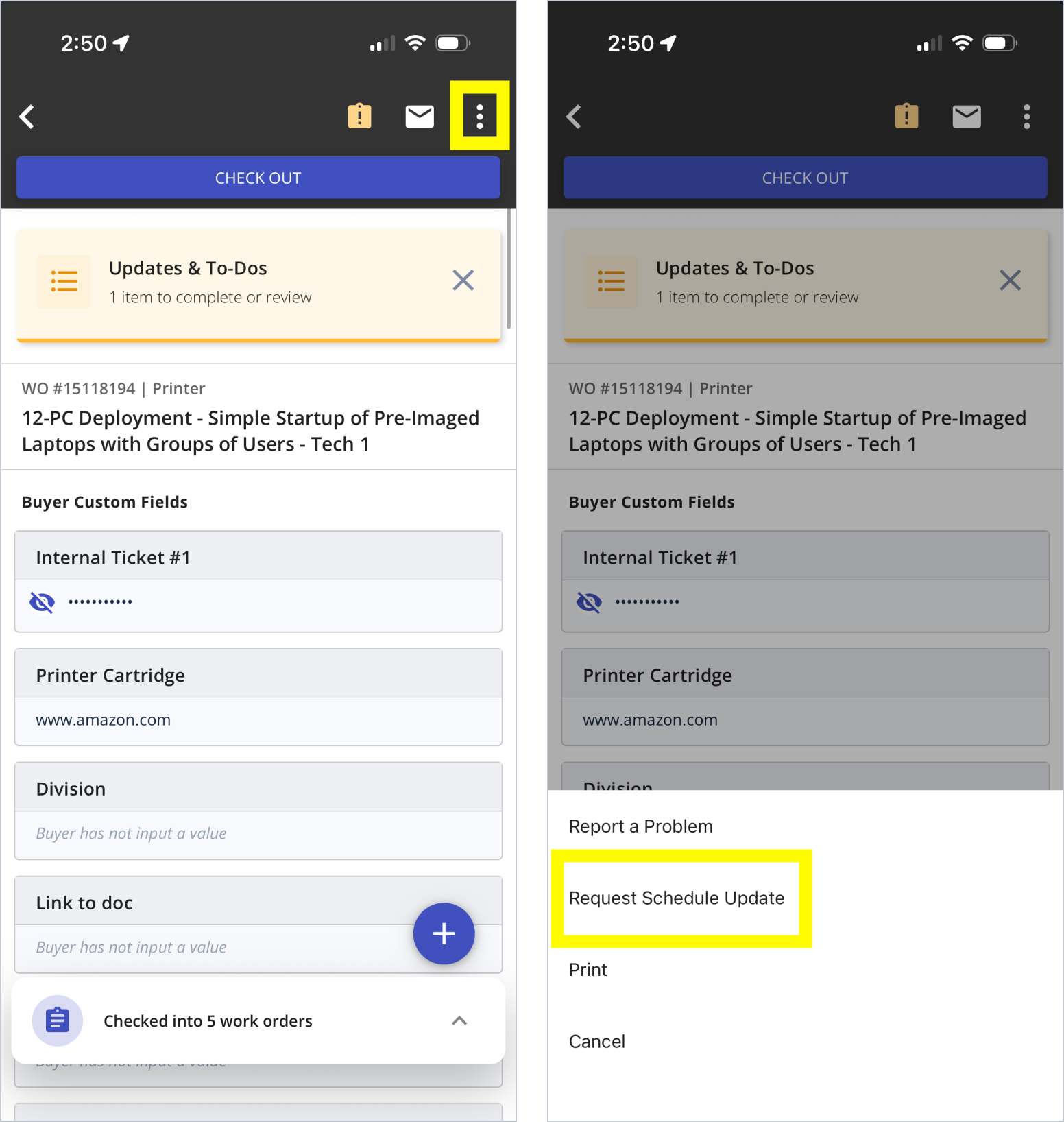
- A “Request Schedule Update” option was added to the 3 dot menu options from the work order details view in the app:
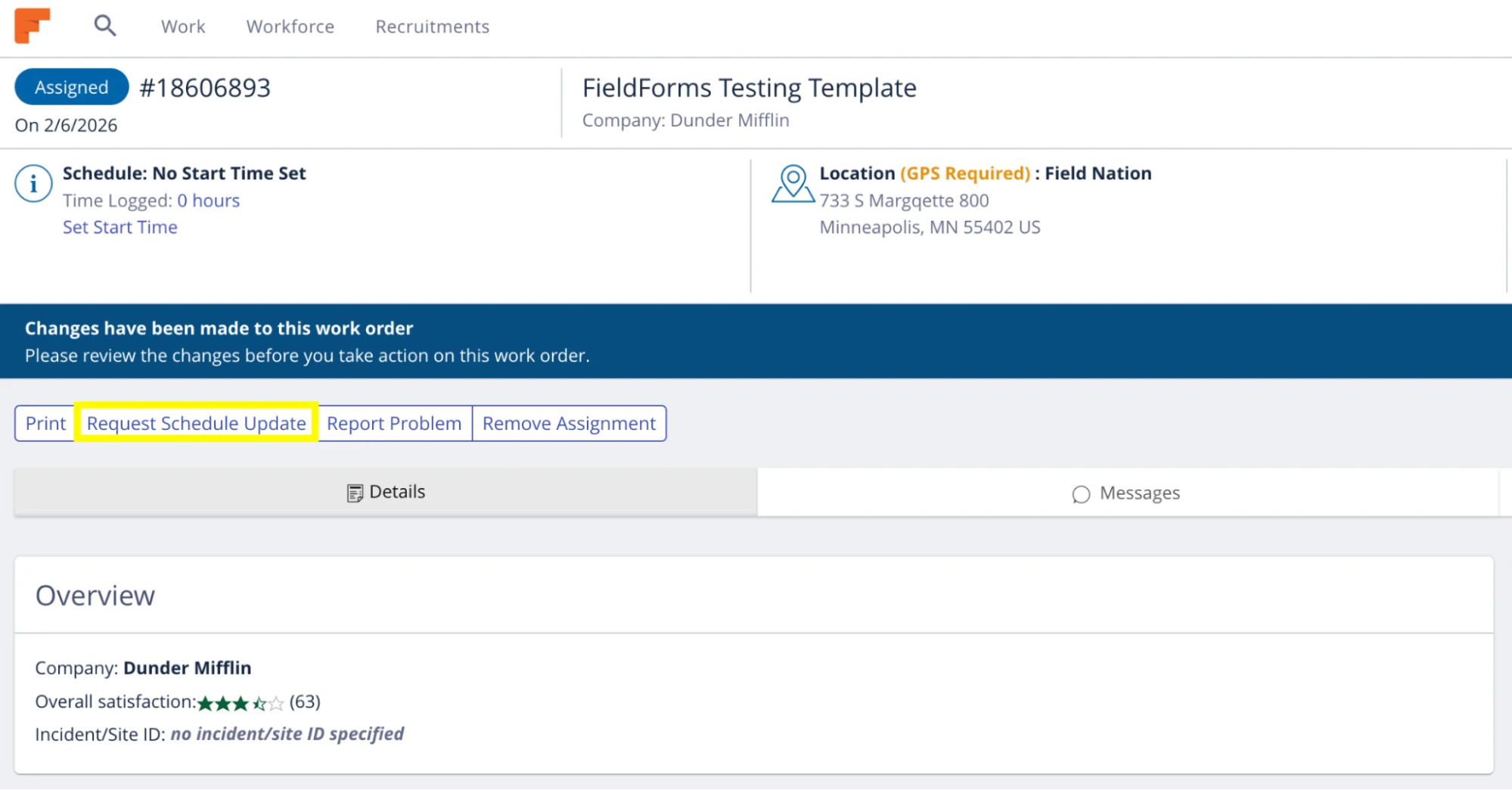
- A “Request Schedule Update” button was added to the main Work Order view in Web:
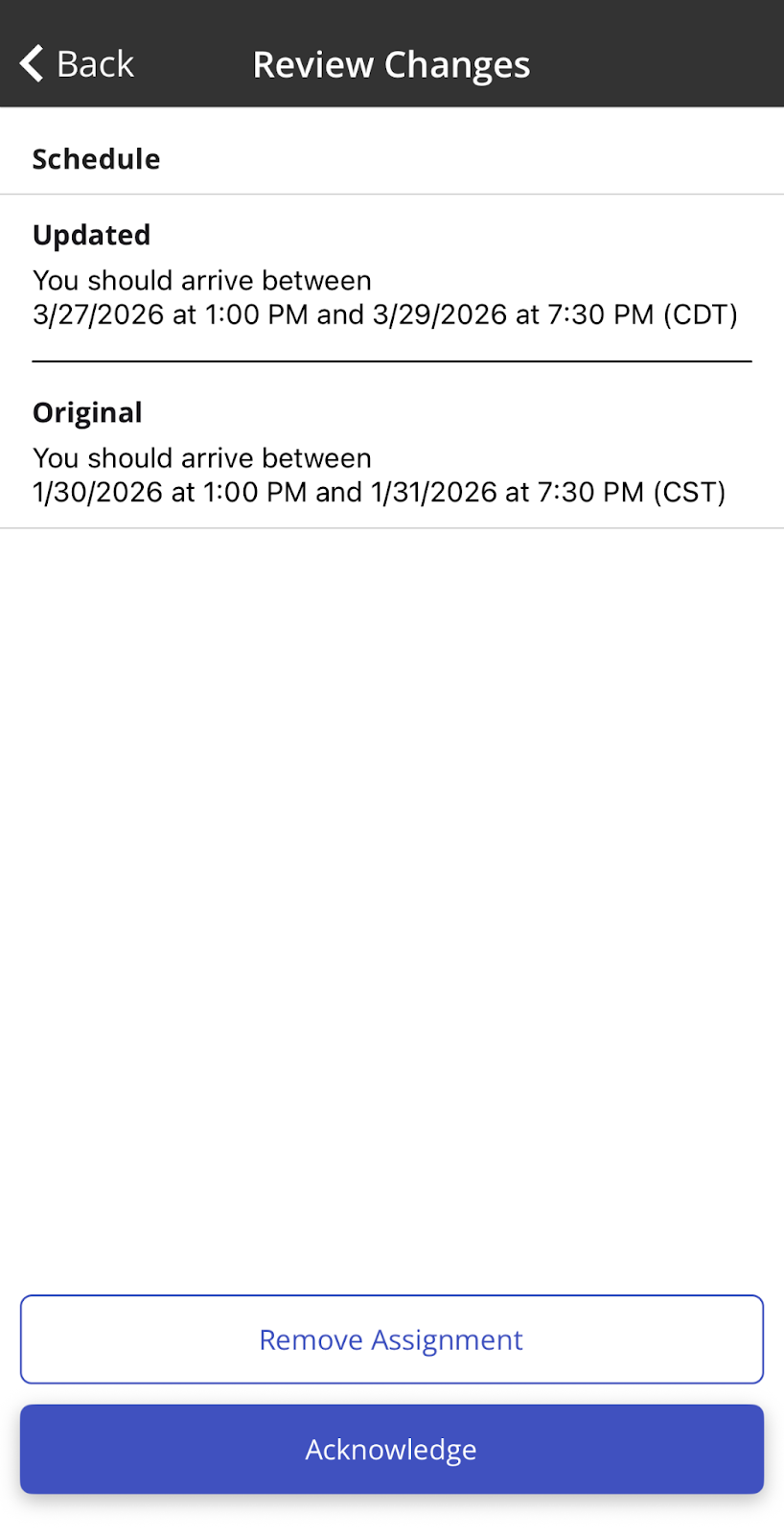
Buyer Initiated Schedule Updates: Now when you click the push notification sent when a buyer changes the schedule you will be brought to a review screen that will allow you to either “Acknowledge” the changes or “Remove Assignment”. Acknowledgement will keep you assigned and re-commit you to the new schedule. Remove Assignment will allow you to opt out of the assignment with no negative impact to the your Backout Score:
‘Request a schedule update’ shortcut removed: We’ve removed the ‘Request a schedule update’ option for Early or Late check-ins. We understand that scheduling isn’t always easy, and sometimes last-minute changes are simply unavoidable—that’s why the ‘Check In’ dispute process is still available for eligible exceptions. Whenever possible, please report schedule delays in the work order as soon as you’re aware of them. Making proactive updates helps everything run more smoothly and avoids bigger issues down the line. We also want to remind you that managing your schedule, including planning for traffic or overlapping jobs, can help prevent surprises. Even with the best planning, things happen, but keeping everyone informed supports a smoother experience for all.
As a provider, click here to learn more.
Provider Match now grouped by PSS tier
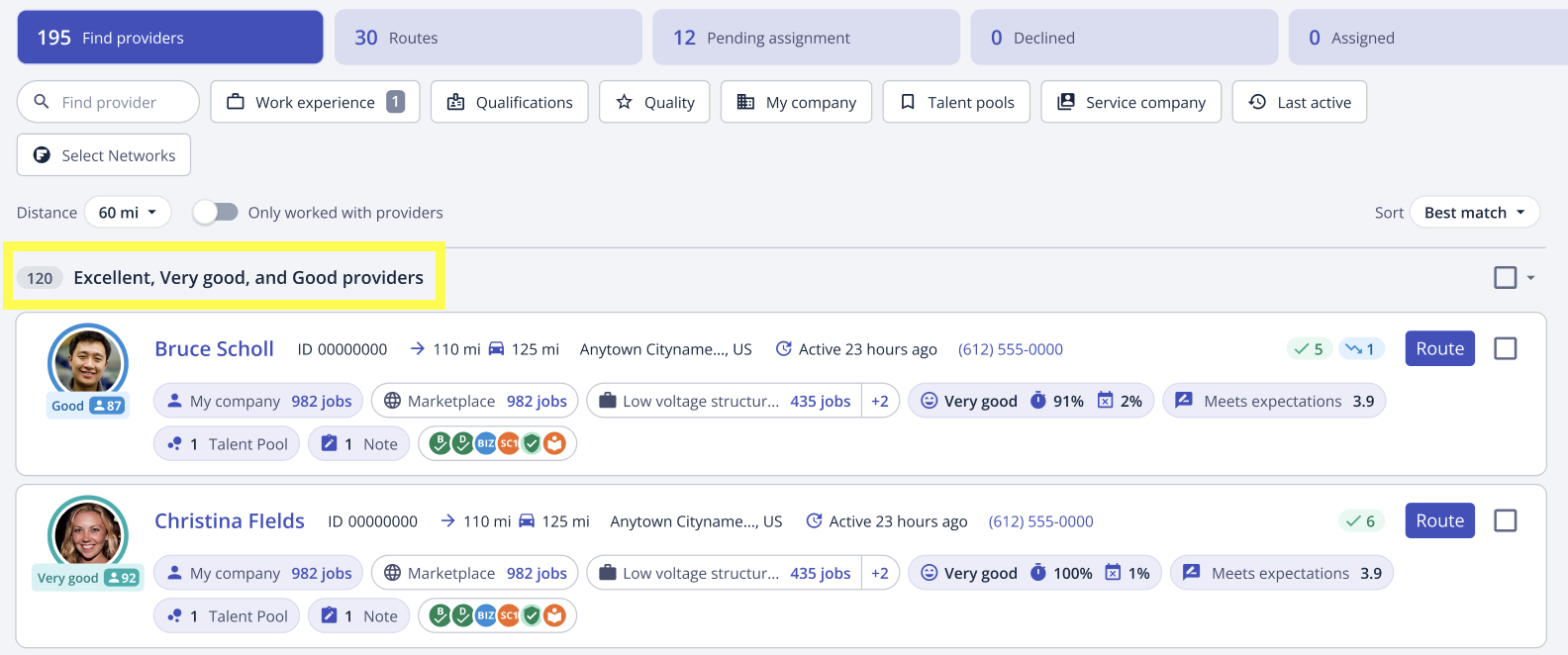
Provider results in Provider Match will now be grouped by Provider Success Score (PSS) tier, including when additional sorting and filtering logic is applied. Excellent, Very Good, and Good providers will always be grouped at the top with Fair, Poor, and No Score providers appearing in the grouping below.
As a buyer, click here to learn more.
New ‘Consider a new provider’ section in Provider Match
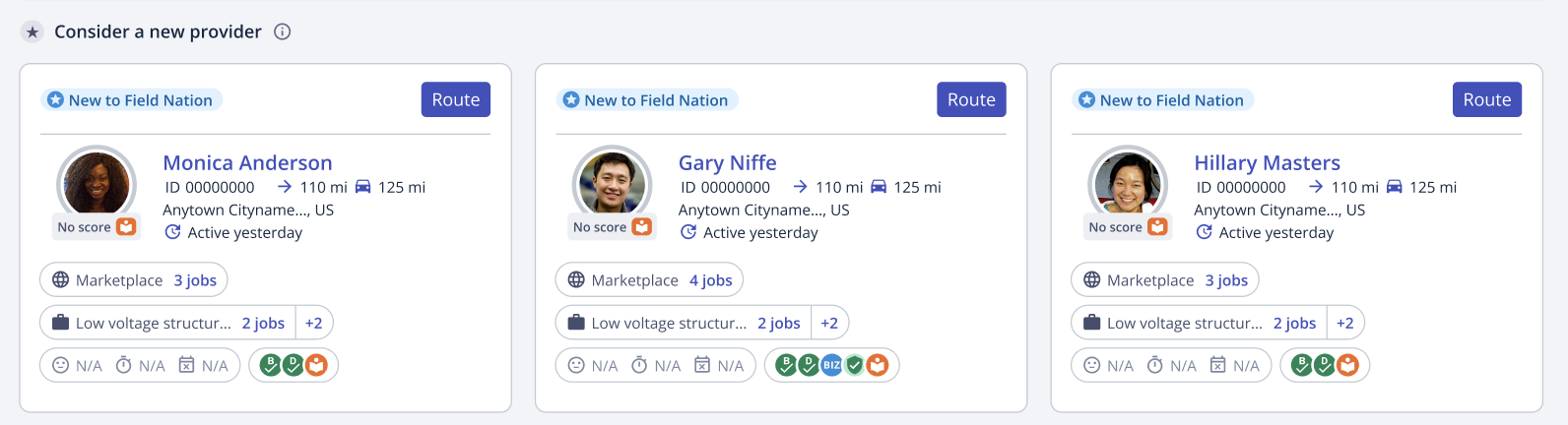
We have added a new section within the Available tab called ‘Consider a new provider’ that makes it easier to discover new providers. Providers that appear in this section all have the Platform Knowledge Badge and have a high ranking based on the Best Match ranking rule, but have not yet completed enough work orders to generate a PSS.
Improvements to Pending Assignment tab in Provider Match
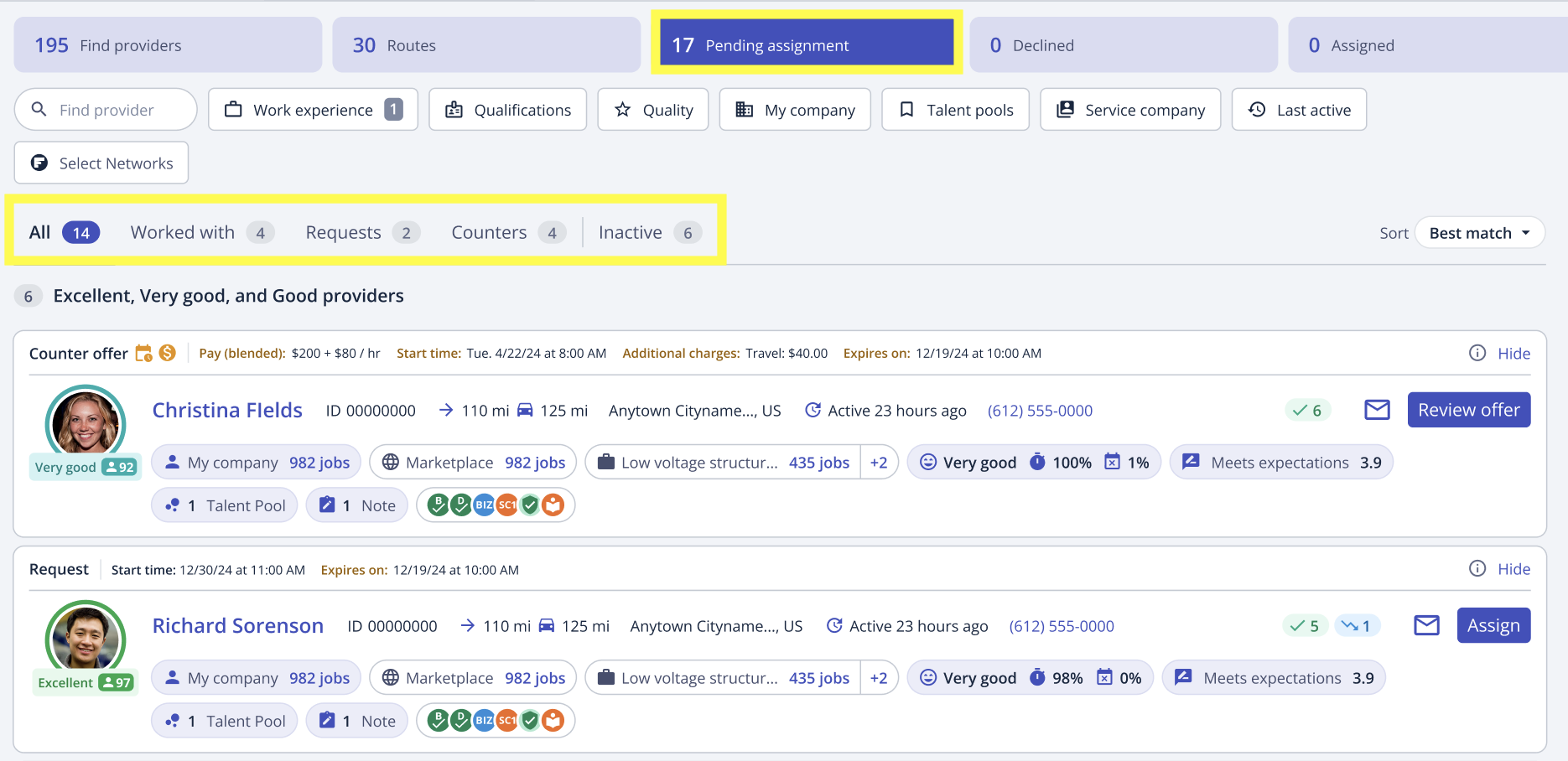
With the addition of visual improvements and subtabs in Pending Assignment, you can quickly review, and take action on requests and counter-offers. The new subtabs are located right underneath the filters section and are All, Worked With, Counters, Requests, and Inactive.
As a buyer, click here to learn more.
Support Chat in mobile
We know that when you encounter an issue, the difference between getting an answer in seconds vs minutes is critical. That’s why we are excited to announce the launch of our Support Chat to the Field Nation mobile app experience! It can quickly determine the scope of your issue, provide guidance, or connect you to a live agent if necessary. Chat will be rolling out to users on the mobile app over the coming weeks. Please note you will need to be on the Field Nation app version 26.4.1 or later to access chat.
As a reminder, chat is best utilized for technical or “how to” related questions. If you are having an issue with the other party on a work order (re: payment dispute) reporting a problem is still the best option.
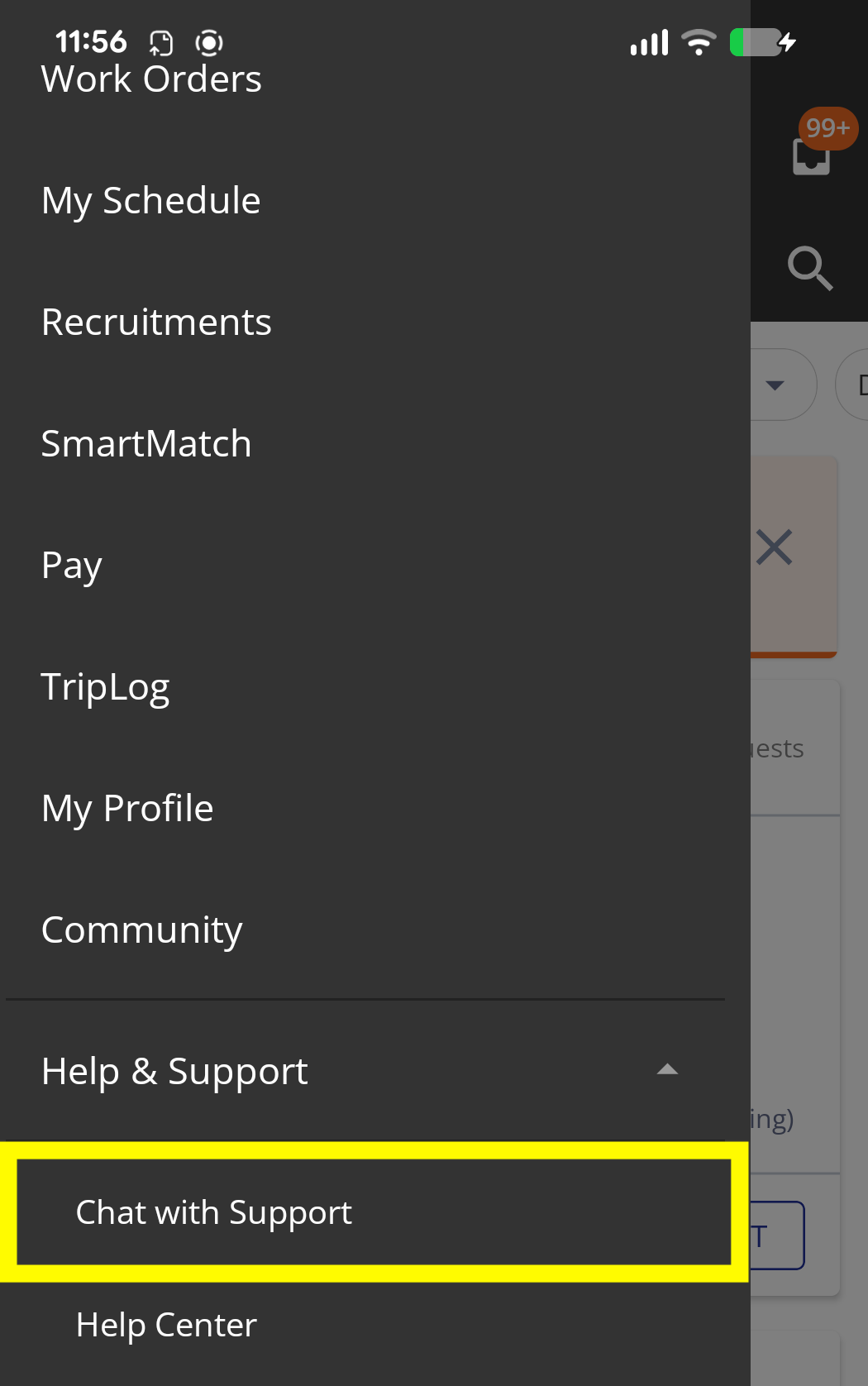
To start a chat, click Chat with Support under Help & Support in the main menu in the app.
As a provider, click here to learn more about engaging with Field Nation support
My Business Wallet
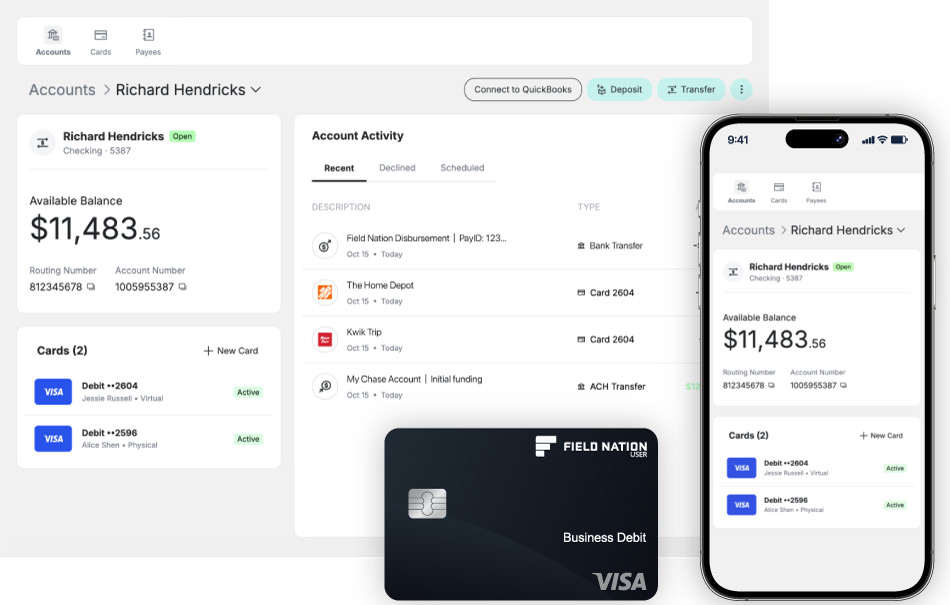
My Business Wallet* is now available to all Field Nation Pro users. It’s a dedicated business banking account built right into the platform, so you can access your earnings the moment you request a transfer. No waiting. No surprises. No middlemen.
Here’s what you get:
- Access your earnings instantly. You’ve done the work. Your money is ready when you are.
- Banking built for your business. A dedicated business account that keeps work income and expenses organized in one place, separate from your personal finances, with built-in QuickBooks sync to keep your books current.
- Spend and withdraw your earnings. Use your debit card anywhere Visa is accepted and access cash through the AllPoint ATM network.
- Built for business owners. Use your account for Field Nation earnings and other business income so everything runs through one business account.
- Simple, transparent pricing. No monthly account fees***, no fees to transfer payments from Field Nation, and clear, competitive transfer pricing so you can manage costs as your business grows.
Applying is fast, secure, and available right inside Field Nation.
As a provider, click here to learn more.
*Field Nation LLC is a technology company and is not a bank. Banking services are provided by i3 Bank, Member FDIC. The Field Nation Visa Debit Card is issued by i3 Bank pursuant to a license from Visa U.S.A. Inc. and may be used anywhere Visa cards are accepted.
***No account or domestic transaction fees. Some foreign transaction fees may apply in limited circumstances.