This month saw the release of several features related to parts and shipments for buyers in Premier and Enterprise-level packages as well as an improvement to the Provider Match page. Click the table of contents on the side to explore each release’s details.
Parts Logistics
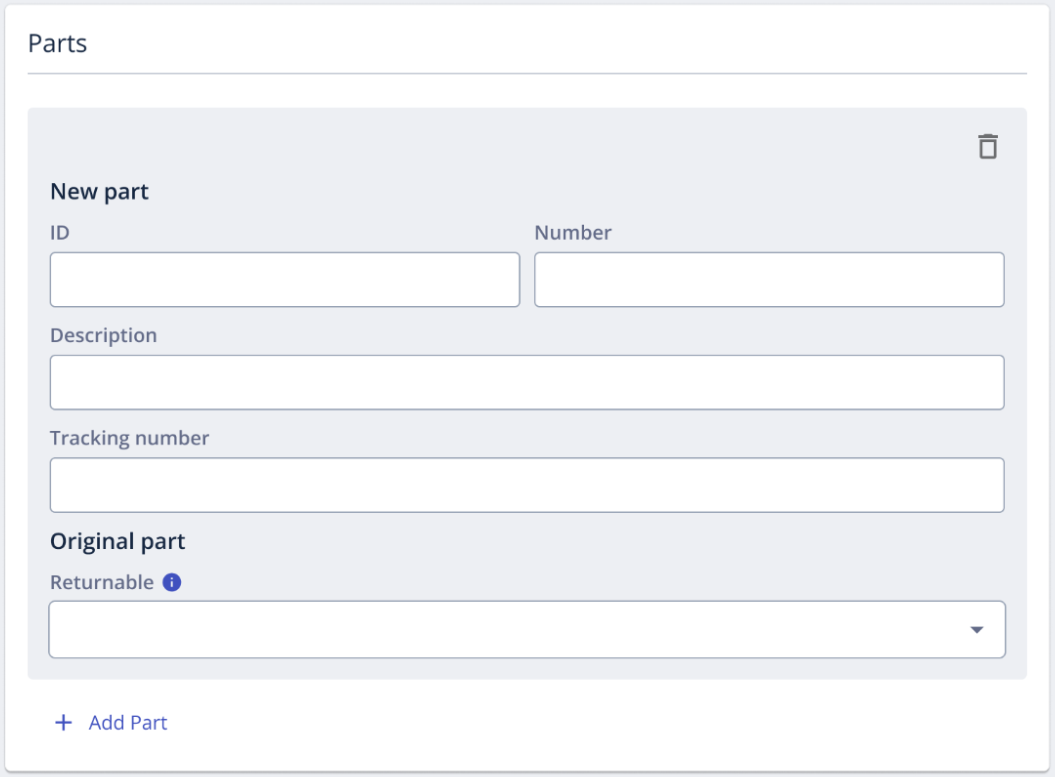
Our Parts Logistics feature suite is now available for buyers in Premier and Enterprise-level packages. Parts Logistics gives buyers end-to-end visibility into the parts associated with work orders and providers with parts-specific workflows and tasks.
For buyers, features include:
- Schedule coordination: standardized delivery instructions aligned to provider arrival; “Parts must be delivered before arrival” setting prevents early dispatches and wasted revisits
- Usage code tracking: providers select a usage code per part at work order completion; notes visible to buyer in the Parts section
- Streamlined returns: return shipment auto-created when provider completes Parts Usage Task; return tracking pre-populated if buyer provides it up front
- Flightboard visibility: Parts Delayed and Parts Issue conditions surface as Alert/Review statuses in Flightboard with quick-action shortcuts (edit schedule, message provider, resolve)
For providers assigned to work orders with parts, features include:
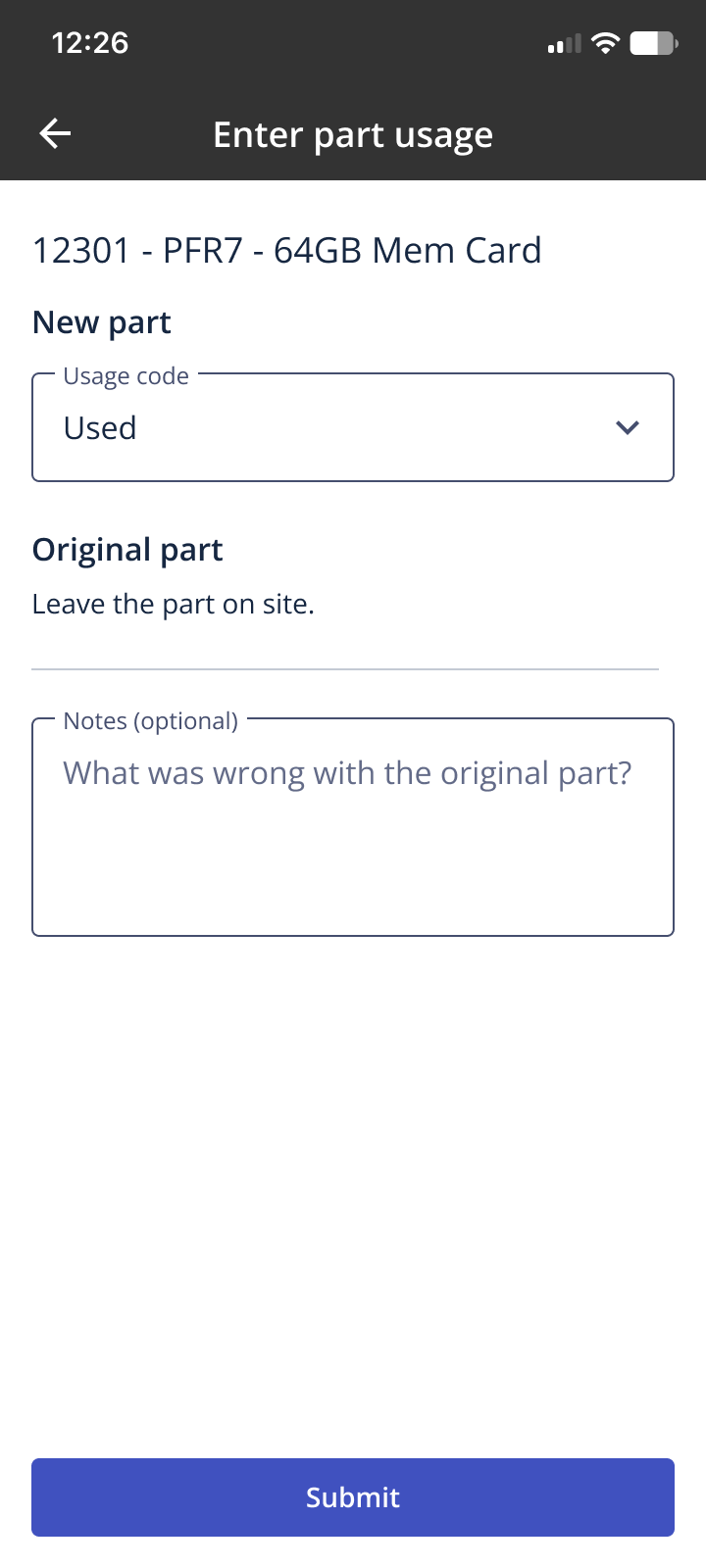
- Dedicated Parts Usage section in Tasks: A new, dedicated Parts section, instead of parts info being housed in other sections of the work order. Before being able to submit the work order for review, you will be prompted to complete a “Parts Usage” task. This includes logging the usage for each part (e.g., used, not used, damaged) and clear instructions for the original part (return, leave onsite, or dispose)
- Automated Returns: If a return is required, you will enter the tracking number and carrier within the workflow, and the return shipment will be automatically created and tracked
- Standardized Workflow: Shipment status is now directly connected to required tasks. You’ll receive clear guidance on when to head to the site, notifications for deliveries, and proactive alerts if a delay impacts your scheduled start time
As a buyer, click here to learn more about Parts Logistics.
As a provider, click here to learn more about Parts Logistics.
Real Time Shipping Updates
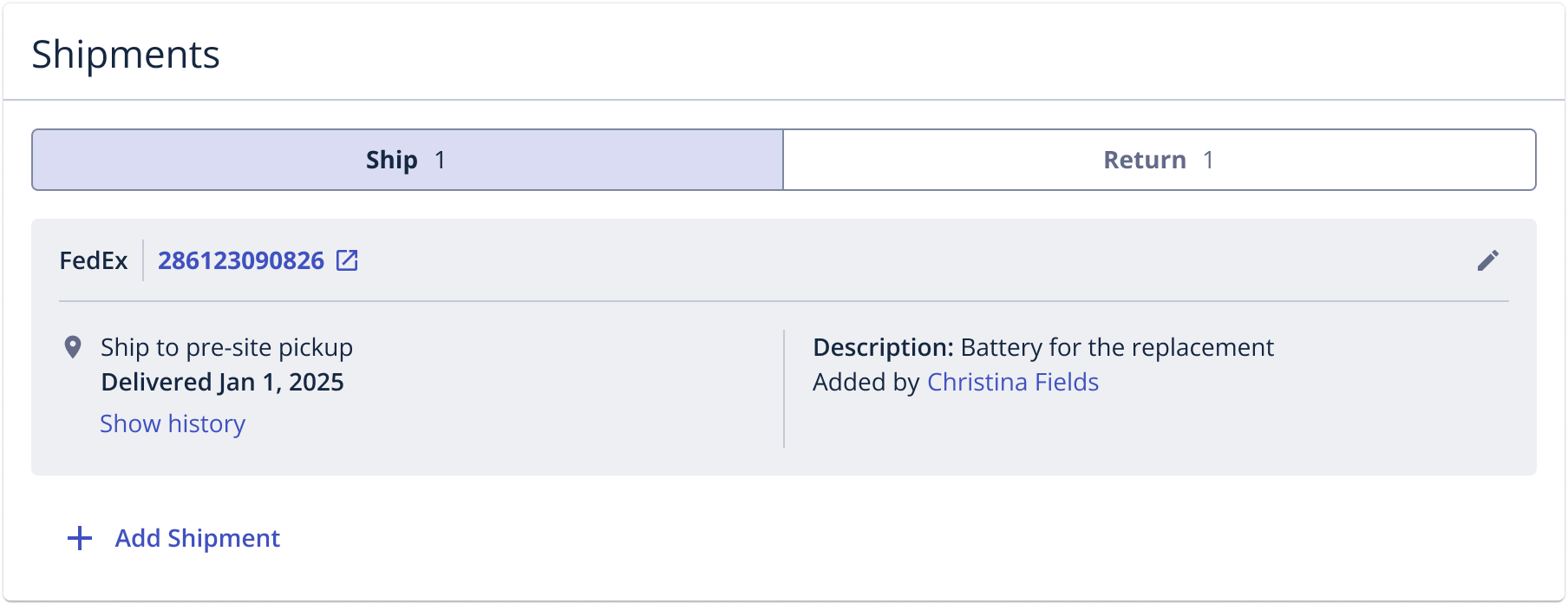
Buyers in Premier and Enterprise-level packages now have access to real-time shipment tracking information. Once a shipment has been added to a work order, buyers and assigned providers will see real-time tracking information (updated every 15 minutes) in the Shipments section. Real-time tracking is supported for FedEx, UPS, and USPS and occurs every 15 minutes.
As a buyer, click here to learn more about shipments.
As a provider, click here to learn more about shipments.
Shipment Exception Handling
Shipment exception handling is now available for Premier and Enterprise buyers on work orders. Should a carrier return a status indicating a potential delay of delivery or delivery issue, buyers and assigned providers will have enhanced visibility and notifications, along with quick-action shortcuts, allowing for issues to be addressed as seamlessly as possible.
Delayed and Shipment Issue
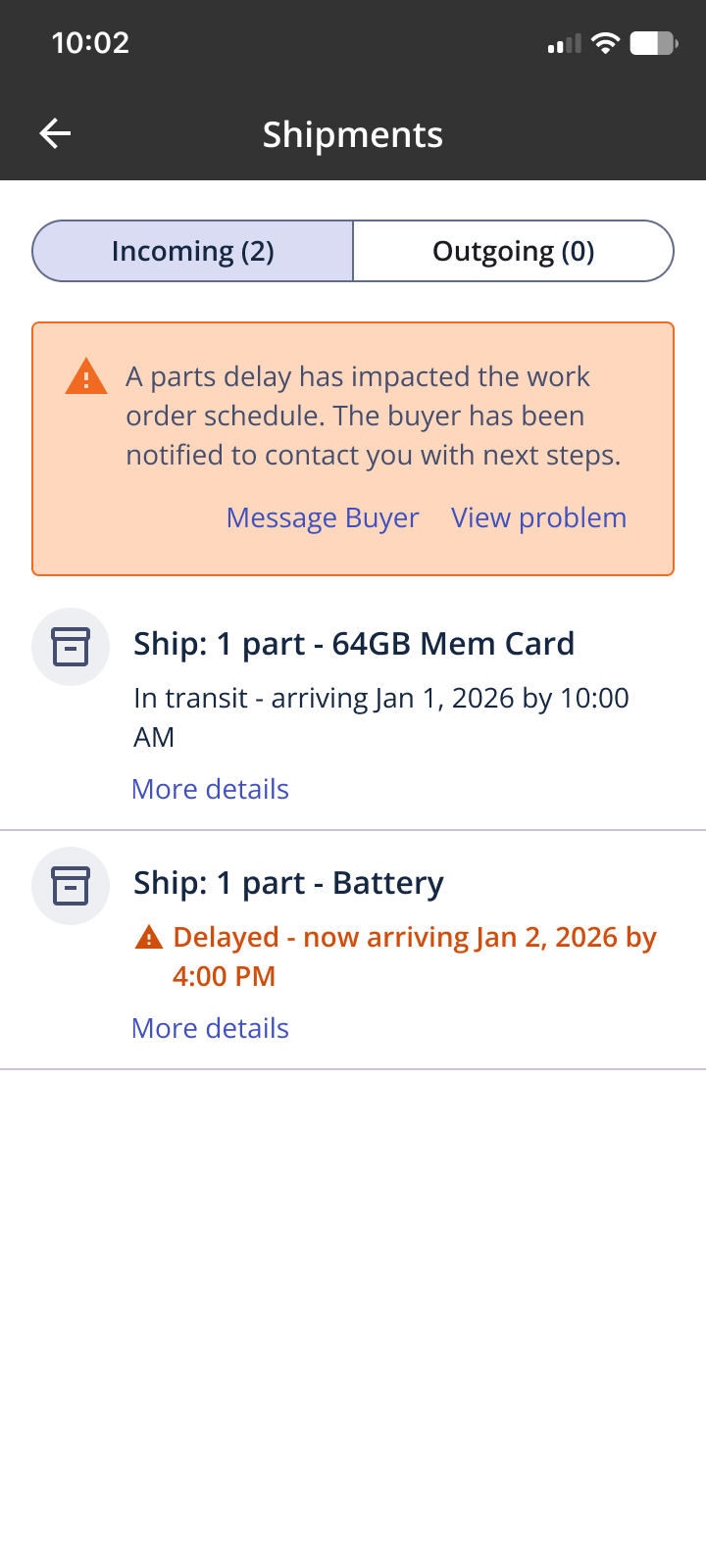
If a carrier reports a shipment status of ‘Delayed’ or ‘Shipment Issue’, a problem will automatically be reported on the work order for the buyer and the assigned provider.
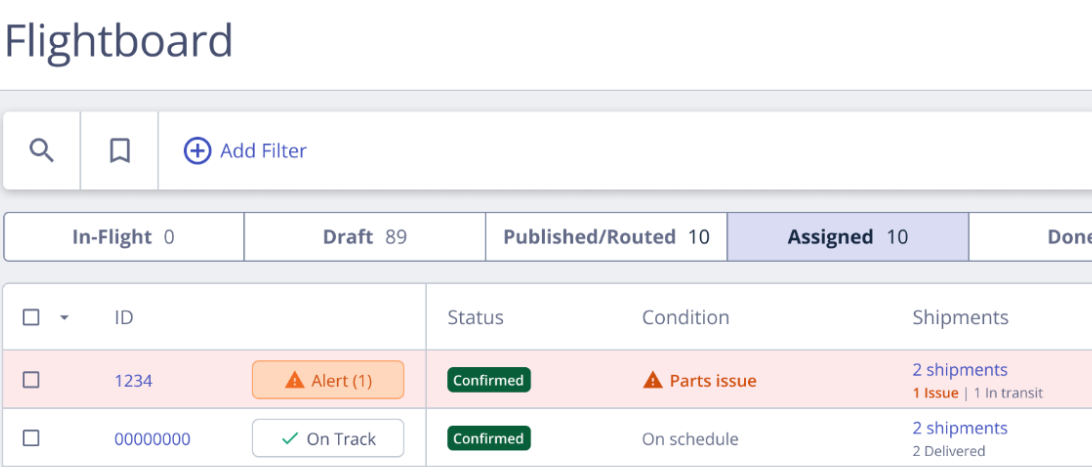
Within Flightboard, buyers will see an Alert status. When clicked the Flightboard review drawer will open and allow the buyer to review the reported issue and quickly take action.
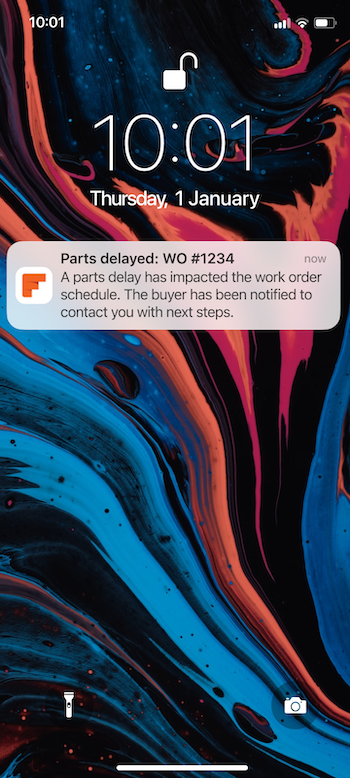
The assigned provider will receive a push notification and will see the reported problem within the work order.
In Transit
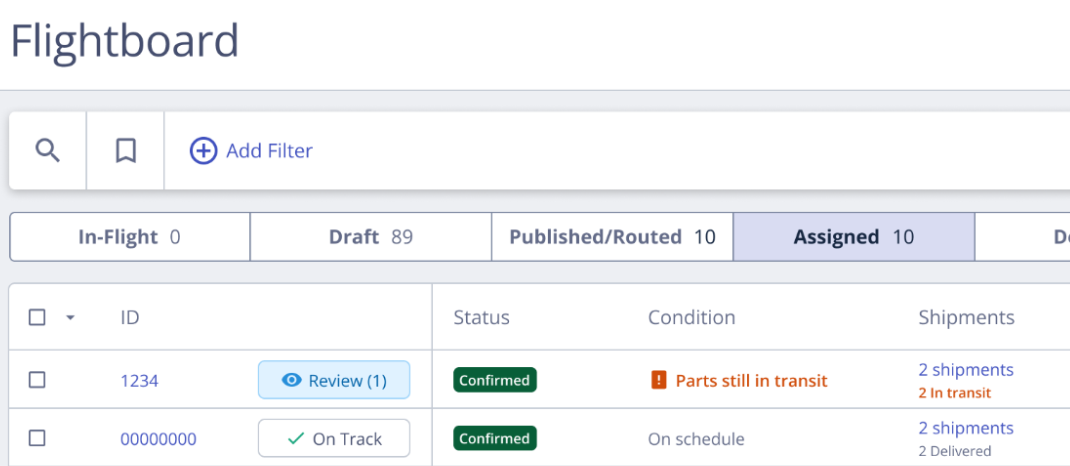
If a carrier is reporting that a shipment is still ‘In Transit’ an hour before the start time of the work order, within Flightboard, buyers will see a Review status with the Condition of ‘Parts still in transit’.
Clicking the Review status will open the Flightboard review drawer, allowing you to review the shipment information in more detail.
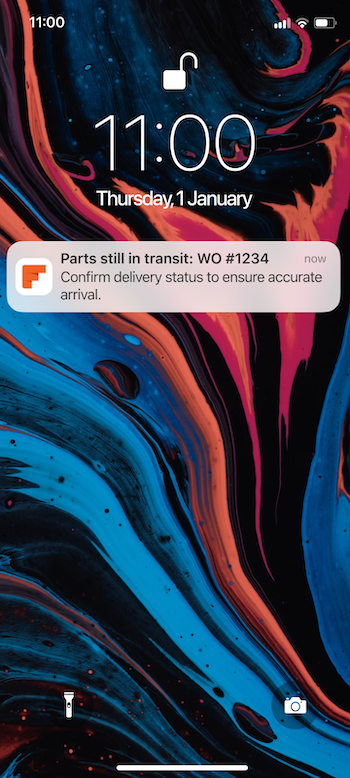
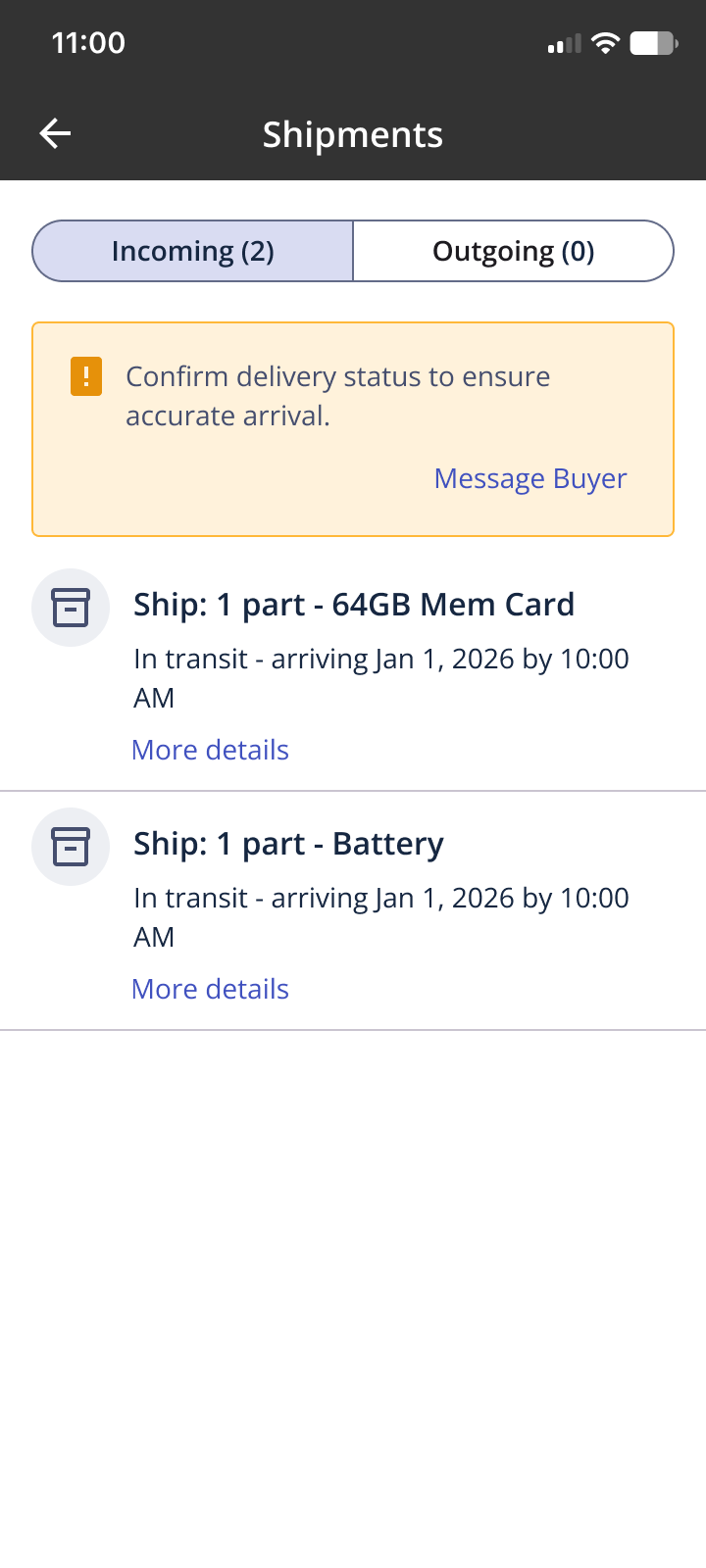
The assigned provider will receive a push notification alerting them to the possibility of an issue with the shipment. Within the shipment section, they will also see a yellow banner that alerts them to the potential issue and encourages them to confirm the delivery status.
As a buyer, click here to learn more about shipments.
As a provider, click here to learn more about shipments.
Provider Match Update
A highly requested enhancement to the Provider Match page was released this month: blocking a provider will now be reflected immediately on the Provider Match page.
Click here to learn more about Provider Match.