This month saw enhancements to Flightboard and the release of the My Company Provider Success Score for buyers, along with improvements to the Support Chat experience. Click the table of contents on the side to explore each release’s details.
My Company Provider Success Score
We are thrilled to announce the release of the My Company Provider Success Score (PSS), a relationship-specific score that shows how each provider engages with you.
Built on the same proven foundation as the Provider Success Score (PSS), the My Company PSS is a score that reflects your company’s unique experience. Grounded in your company’s history with a provider, you now have access to granular work order information, in one place, enabling you to assign work faster with greater confidence.
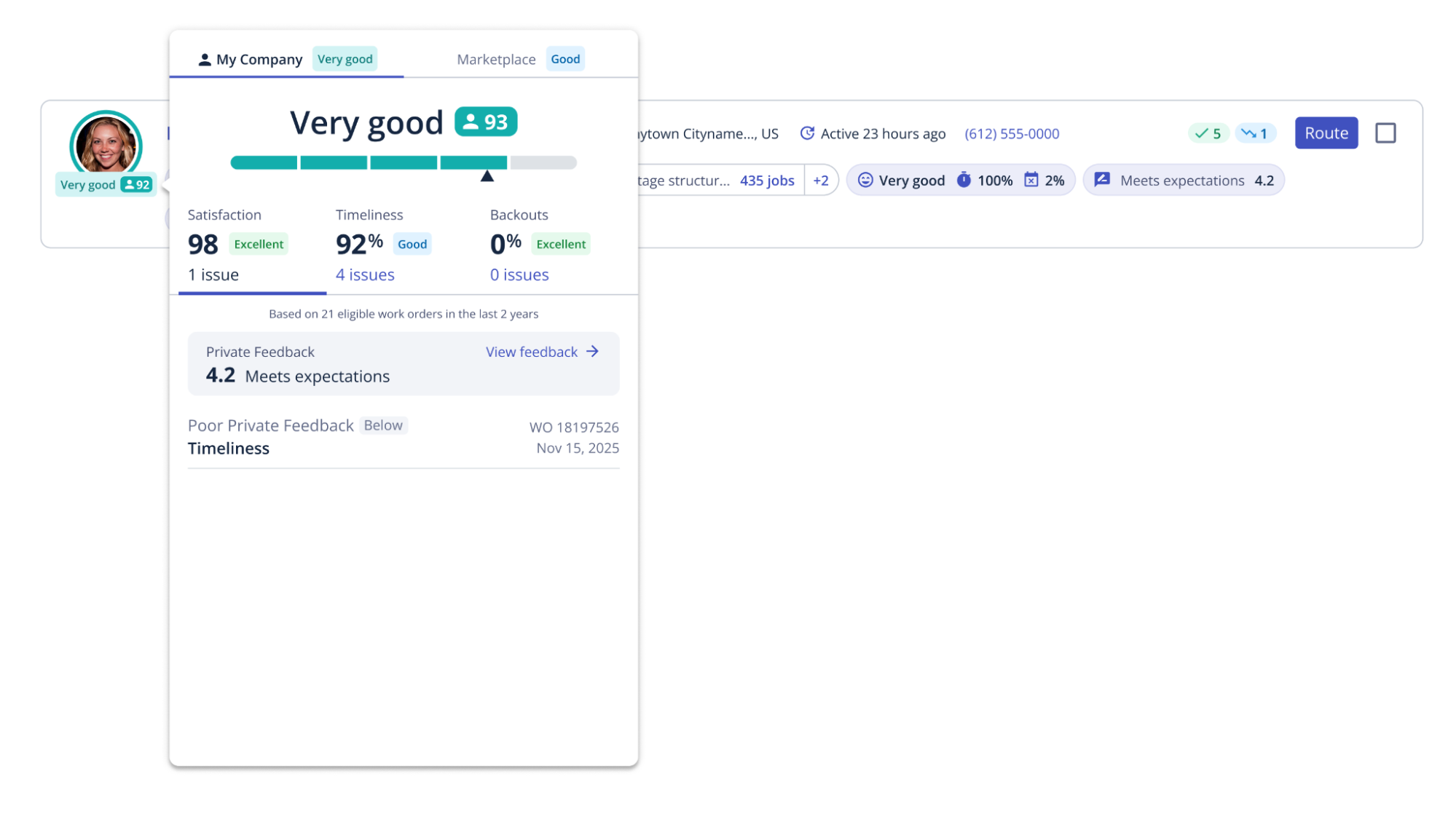
For a provider to have a My Company PSS, they must have completed at least 5 work orders in the last 2 years with you. Similarly to the PSS, the Timeliness and Backout components of the My Company PSS use the last 30 work orders the provider completed for you in the last 2 years. For Satisfaction, rather than the last 100 work orders in the last 2 years, the My Company PSS uses the last 30 work orders.
If the My Company PSS is available for a provider it will always be shown. You can find it in the following places:
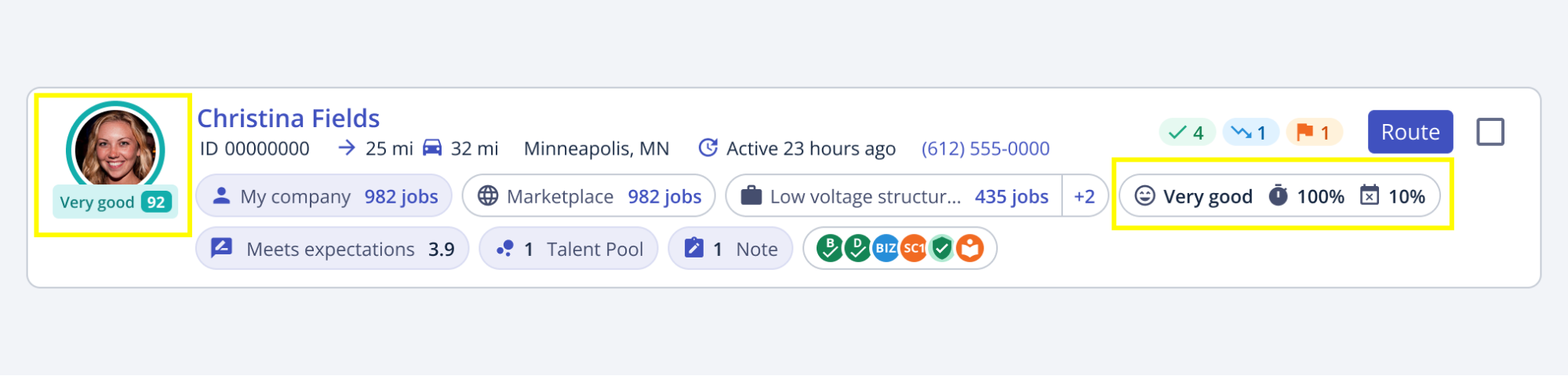
- Profile Avatar: The My Company icon around the provider profile avatar will indicate that the score being shown is the My Company PSS.

- Default Selection Rule: The My Company icon within the Default Selection Rule will indicate that the metrics being shown are the components of the My Company PSS.
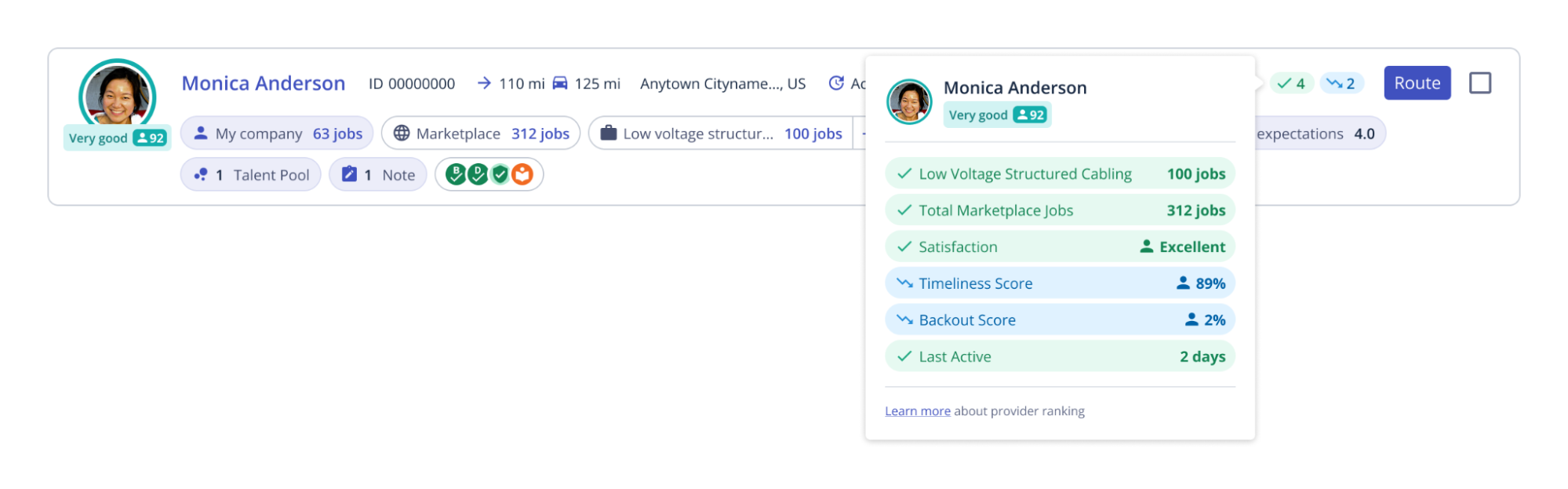
- Quality Metrics: The ‘my company’ purple highlight in the quality chips will indicate that the metrics being shown are for your company only.

- Quality Filters: The quality filters will include My Company PSS and Marketplace PSS but if both values are present for a provider, it will default to the My Company PSS.
- Custom Selection Rules: If a Custom Selection Rule is using the ‘Provider Success Score’ criteria, it will default to use the My Company PSS if available. If the My Company PSS is not available, it will use the Marketplace PSS.
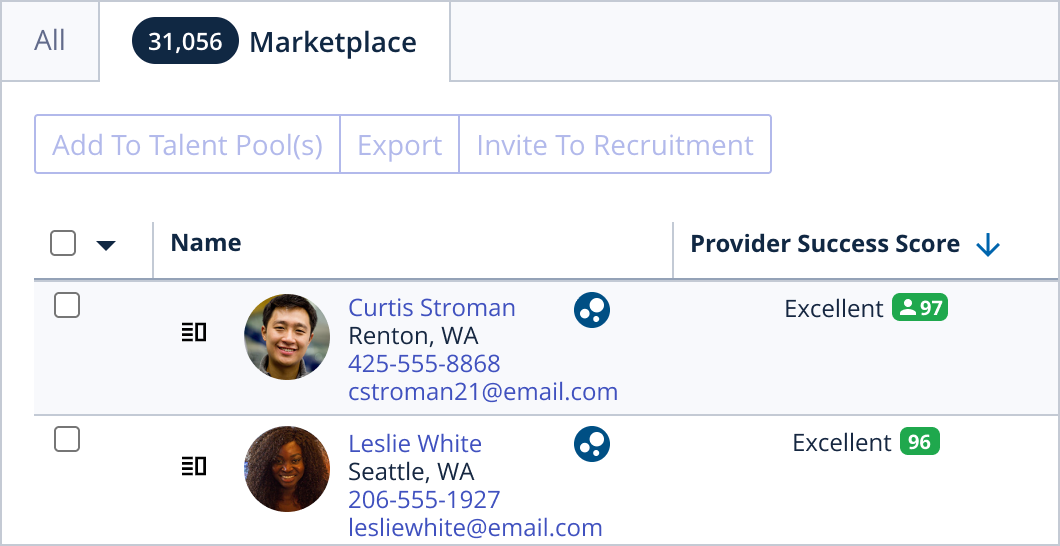
- Talent Page: A Provider Success Score column has been added to the Talent page allowing you to see the PSS of providers in your Talent Pools. The My Company icon will indicate if the score displaying is the My Company PSS or the Marketplace PSS. Pro Tip: You can also filter by PSS within the Talent page.
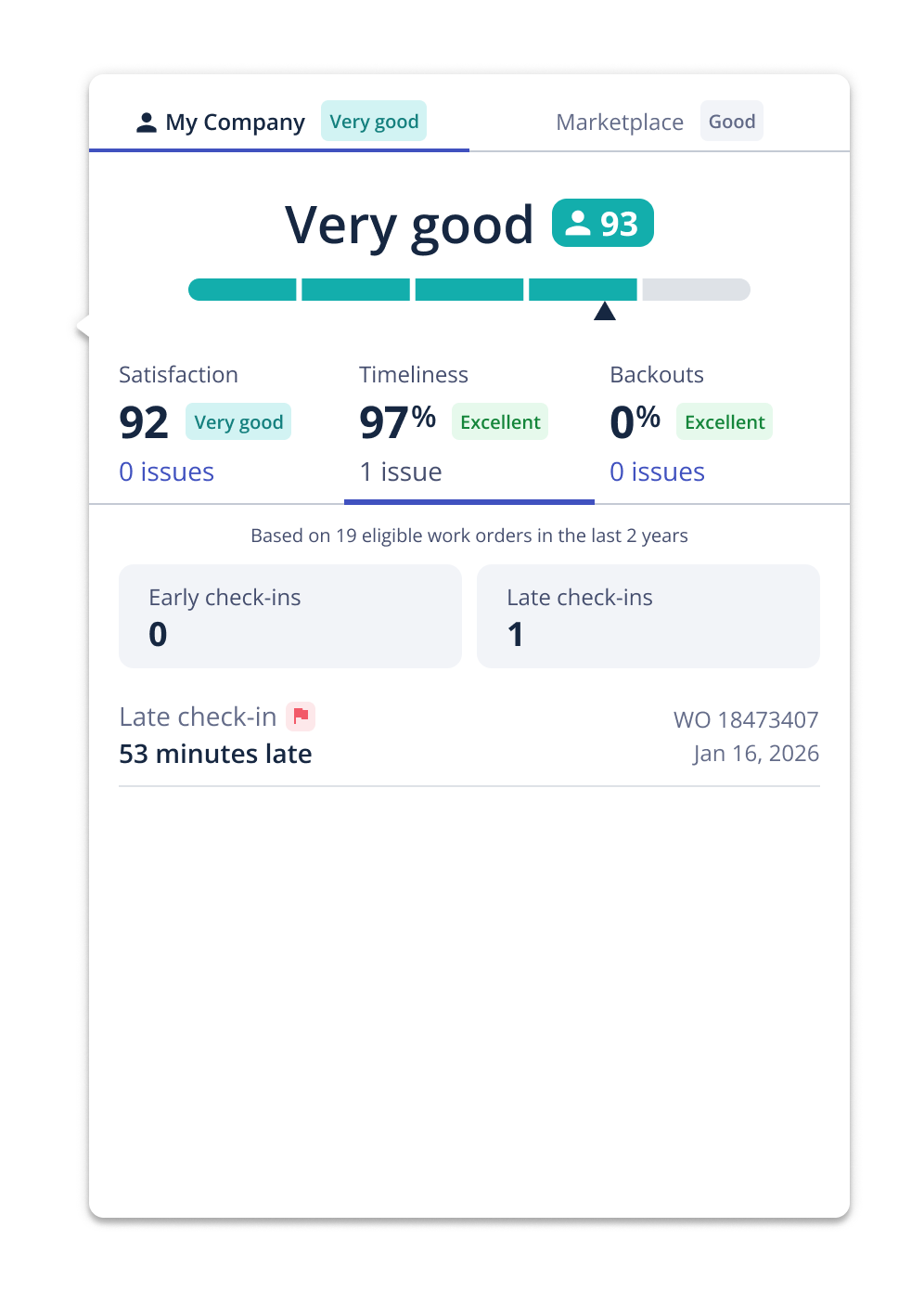
Hovering over the profile avatar will show a detailed breakdown of the different components of the score, allowing you to toggle between them and gain additional insight. For example, within the Timeliness section, see which work orders are counting towards Timeliness, if the assigned provider was early, late, or on time, and by how much.
Please note that if the My Company PSS is not available the Marketplace PSS will display.
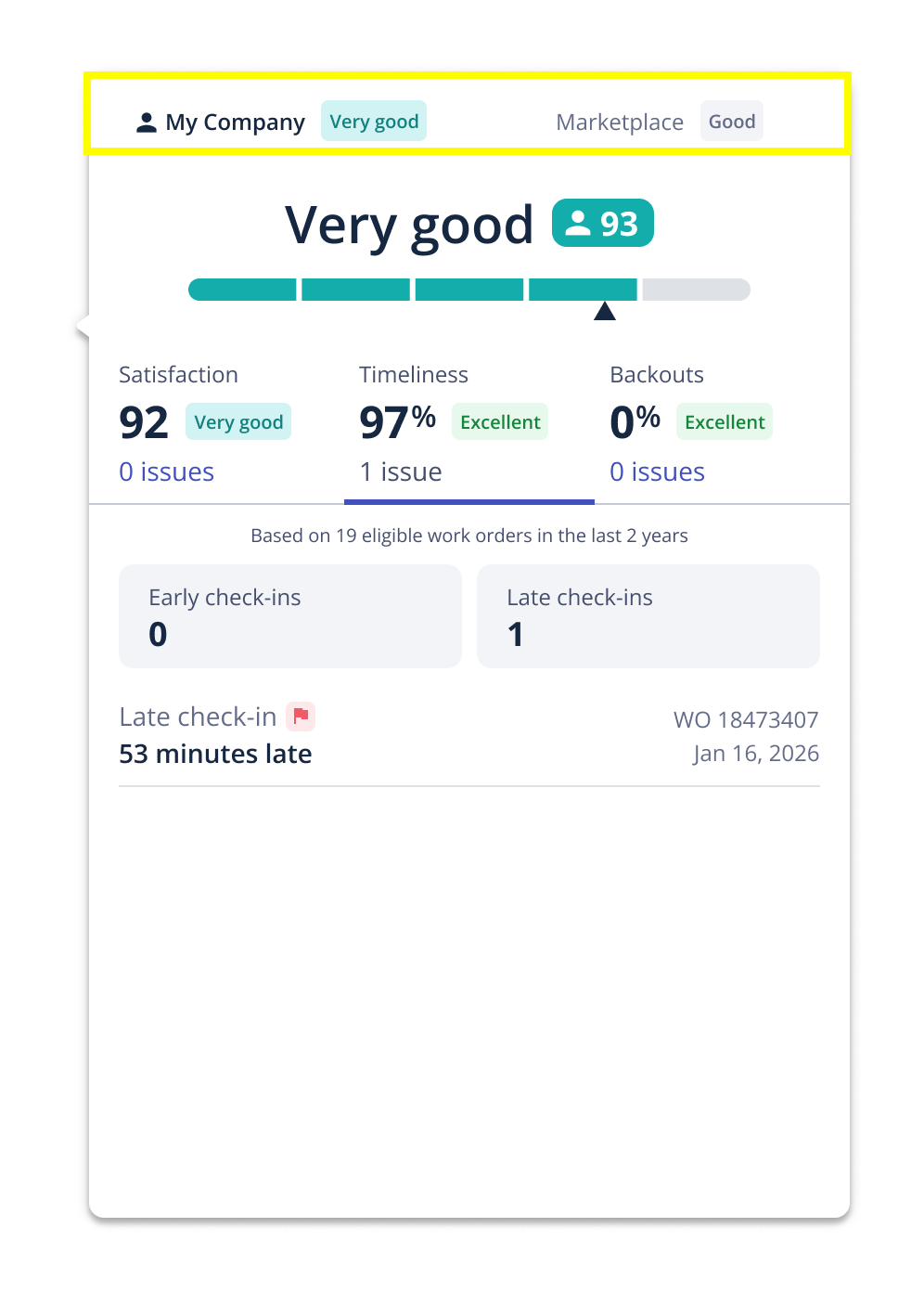
You also still have the option to view the Marketplace PSS if the My Company PSS is available.
As a buyer, click here to learn more.
Flightboard Enhancements
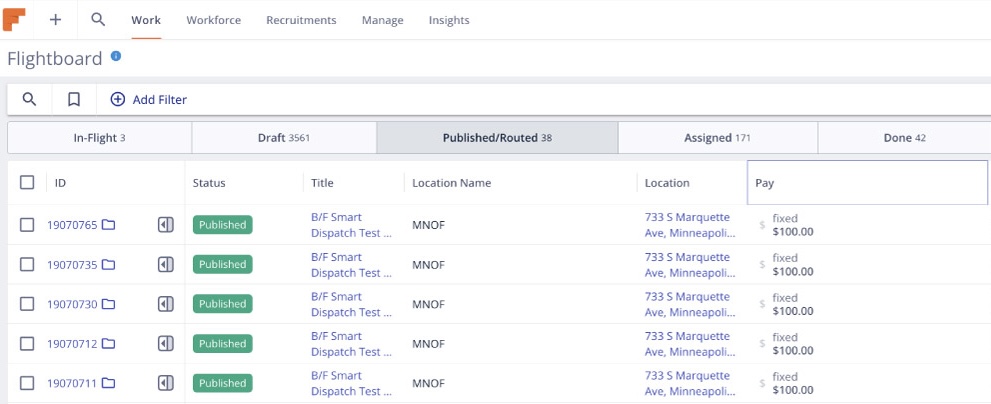
This month we announced the newest version of Flightboard for buyers. With 3.5x faster load times, this new version of Flightboard is built to move as fast as you do. Buyers may notice some slight visual changes (font sizes, spacing, button colors, etc.), but the core functionality of Flightboard remains the same. We will be upgrading buyers to the new Flightboard experience over the month of May.
New Support Chat Version
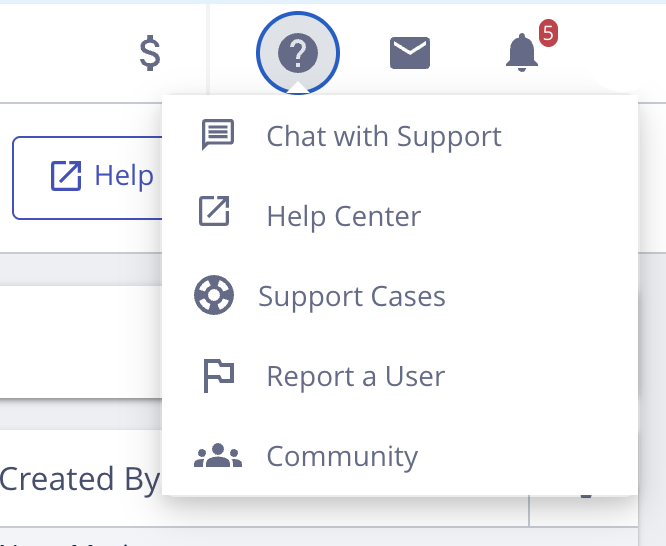
We know that when you encounter an issue, the difference between getting an answer in seconds vs minutes is critical. Our newest version of Support Chat is integrated into the Field Nation platform and moves as fast as you do. Now able to view select work order details, it can quickly determine the scope of your issue, provide guidance, or connect you to a live agent if necessary.
To learn more, click here.
Chat Replacement For Case Creation On Support Cases Page
To provide our users with the fastest support possible, we have replaced the ‘Create Case’ functionality on the Support Cases page in the web with chat. Please note that if a case is necessary, either our Virtual Agent or a Support Team member can create one on your behalf. This change does not impact ‘Report Problem’ functionality or the ability to respond to cases from the Support Cases page.
To learn more, click here.