This month saw the launch of the Platform Knowledge Check badge and several updates to the Shipments section of the work order for buyers. Click the table of contents on the side to explore each release’s details.
Platform Knowledge Check Badge
We have introduced a new badge on the Field Nation marketplace, the Field Nation Platform Knowledge Badge. Providers can receive the badge after completing a short set of learning modules and passing a voluntary knowledge check. This badge can help new providers win their first work orders faster by showing buyers they are engaged, informed, and confident in using the Field Nation platform.
The modules cover three core areas:
- How service quality is measured on Field Nation — including the Provider Success Score (PSS), Field Nation’s primary reputation metric, its components (Backouts, Timeliness, Buyer Satisfaction), minimum thresholds, and what different score ranges may signal to buyers.
- How to execute work orders end-to-end on Field Nation — covering the full work order lifecycle, from evaluating and requesting work (including counter-offers), through confirmation, on-site execution (check-in, tasks), deliverables, and payment.
- How to manage exceptions and remain compliant — including proper ways to back out, communicate delays or site issues, and comply with key marketplace policies such as authorization requirements for additional on-site personnel.
If a provider has earned a Platform Knowledge Badge:
- Providers will see it displayed in their profile.

- Buyers will see it on the match card alongside other badges, or beneath the profile photo if they don’t have a score.

Click here to learn more.
Shipment Visibility Improvements
In December, we implemented several enhancements to the Shipments section of the work order, which will improve visibility and reduce confusion for buyers and providers.
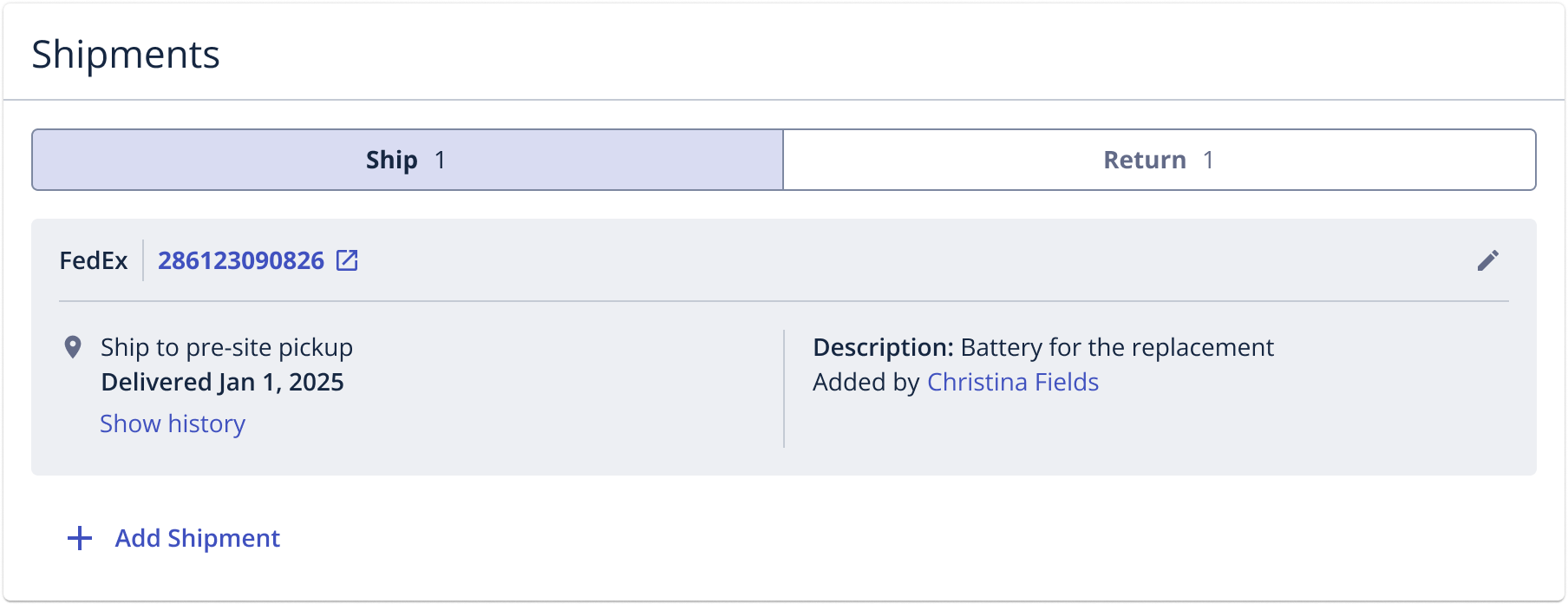
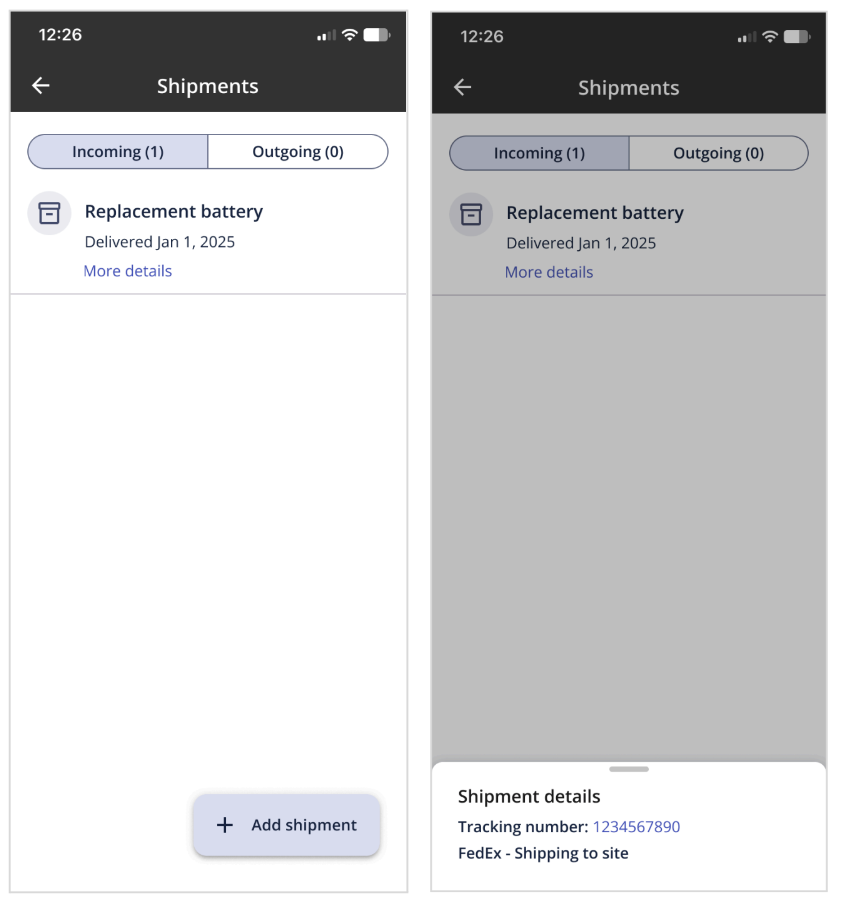
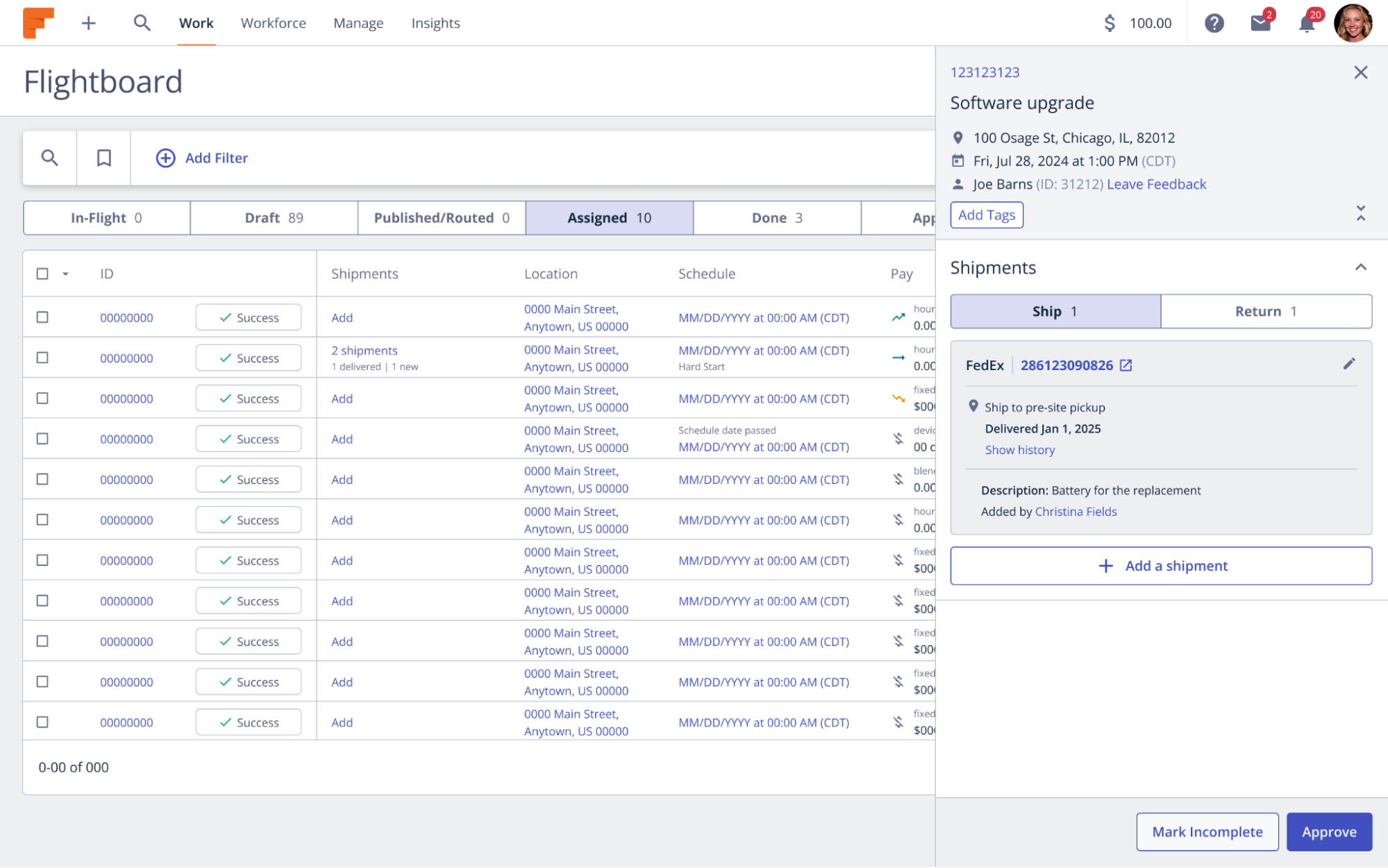
First, we broke the Shipments section out into two tabs: Ship and Return for buyers and Incoming and Outgoing for providers. Historically, shipments were presented in a list format, which made it difficult to determine whether a shipment was being sent to a site or originating from one. With this improvement, both buyers and providers will have better visibility into where shipments are headed.
For buyers:
For providers:
For buyers, we made two other small changes:
- If you have the Shipments column added to your Flightboard, clicking a shipment will now open the side drawer directly to either the Ship or Return tab within the Shipments section, eliminating the need for scrolling.
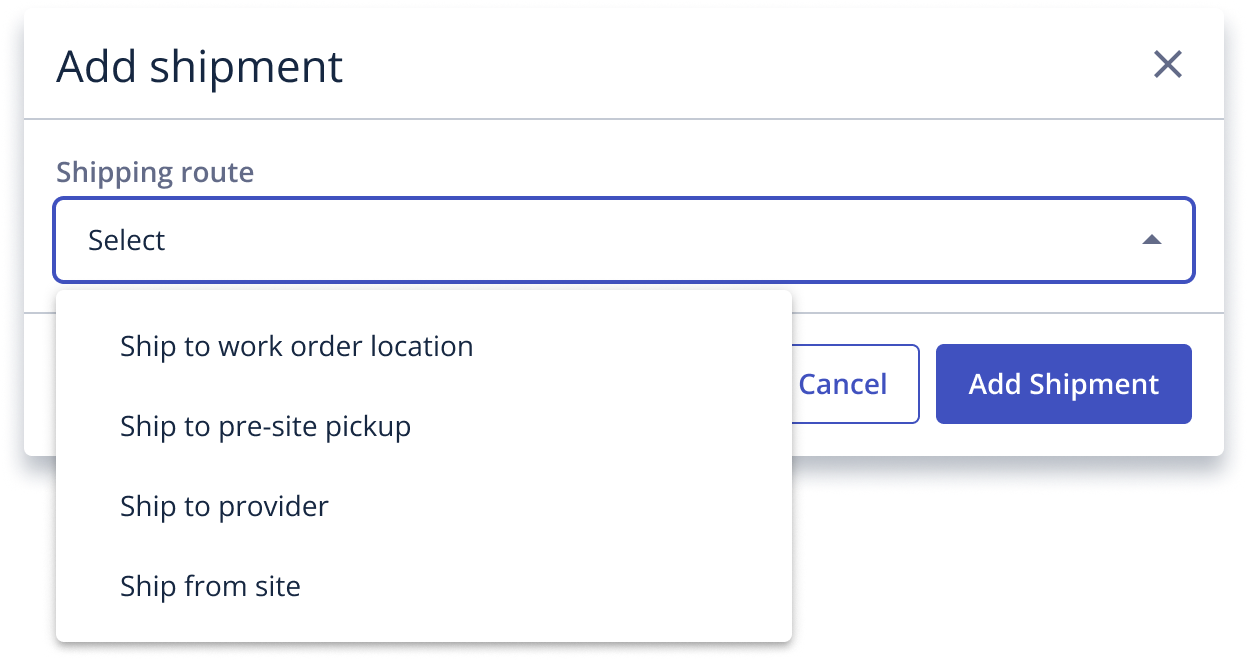
- We made several minor updates to the shipment options available when adding a shipment to a work order to improve clarity. Please note, this change does not impact integrations.
As a provider, click here to learn more.
As a buyer, click here to learn more.