This month saw the release of improvements to how Private Feedback is collected, to the site revisit and site status data collection for providers, and to how that collected data is displayed for buyers. Click the table of contents on the side to explore each release’s details.
Private Feedback Improvements
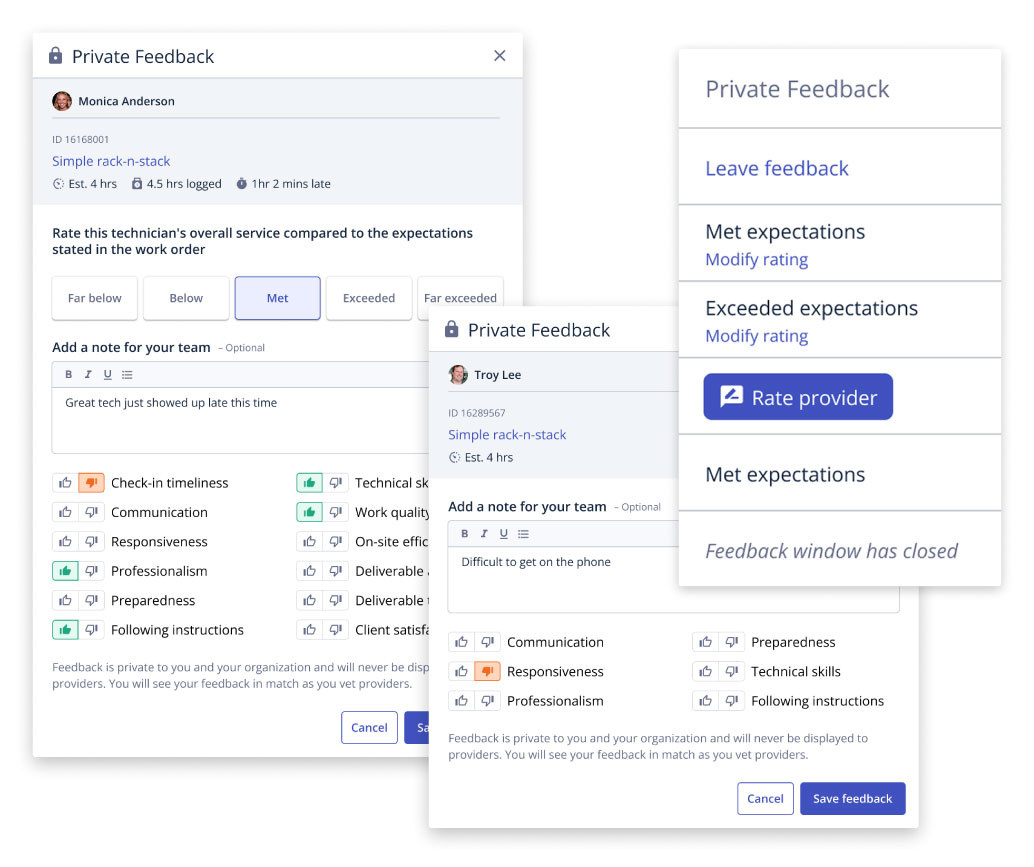
We’re excited to announce the new and improved Private Feedback experience. Benefits of this updated experience include:
- A streamlined feedback form
- A new configurable column within Flightboard that will allow you to quickly view and leave Private Feedback
- View and filter all past Private Feedback records on the provider profile
As a buyer, click here to learn more.
Revisit & Site Status Improvements
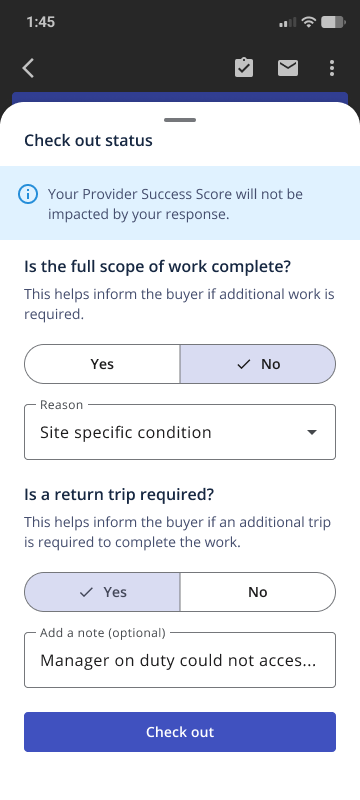
Previously, revisit and site status information was gathered when a provider checked-in to a work order for the second time or when they submitted a work order for approval. Now, that same information will be gathered every time a provider checks out of a work order. A provider’s Provider Success Score will not be impacted by their response. At check out, provider’s will be asked:
- Was the full scope of work complete?
- If they select ‘No’, they will be asked to provide a reason.
- Is a return trip required?
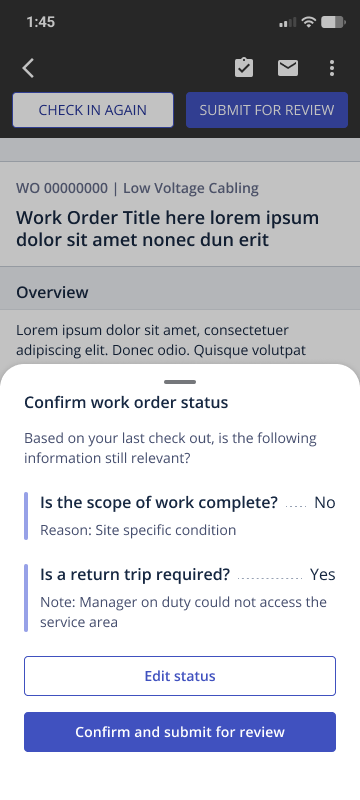
When a provider submits the work order for review, they will be asked to confirm their most recent response to these two questions.
As a buyer, this information will now display within one Work Status section within the Flightboard Review drawer.
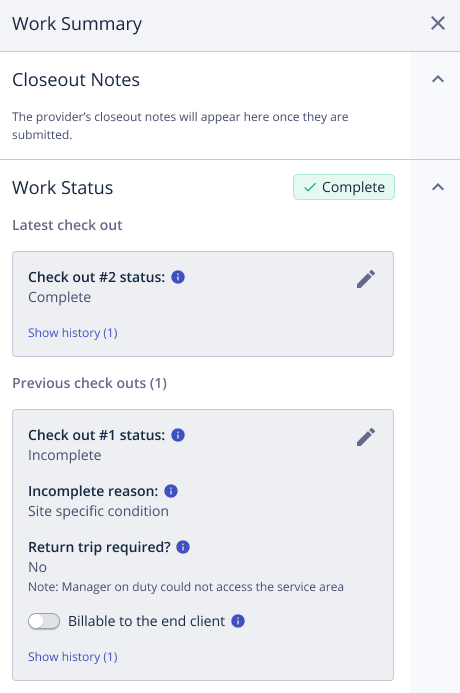
To learn more as a buyer, click here.
To learn more as a provider, click here.
Verbiage Changes For Better Clarity
Two button names in the web and app have been updated for providers to better reflect the actions being performed.
While these button names have changed, no functionality is impacted.
- Mark Complete → Submit For Review: When closing out a work order for buyer approval, providers will see that the ‘Mark Complete’ button is now ‘Submit for Review’.
- Mark Incomplete → Reopen Work Order: If a provider needs to reopen a work order after submitting for review, they will see that the ‘Mark Incomplete’ button is now ‘Reopen work order’.